_a9c1b4.png)
_49ee3f.png)
All Activity
- Today
-
@RPL - Hey! Thanks for reaching out. I just raised a ticket to our support team on your behalf and they'll reach out shortly😊
-
-
 Mariale_Pulseway reacted to a post in a topic:
Need some guidance as in what category should I participate into?
Mariale_Pulseway reacted to a post in a topic:
Need some guidance as in what category should I participate into?
-
- Yesterday
-
Lorenzo joined the community
- Last week
-
yes 100% service is very important
-
-
-
-
Wow, great insight on Windows 10 seems like you have deep knowledge of this update.
-
Fabian Kresiment joined the community
-
Sure, I get that. I was simply testing via my account, with the assumption that it could be changed later. Unfortunately, there seems to be no way to change the outbound email address once you've authenticated for the first time. Fortunately, I was able to restore the original App Registration and re-connect it to my personal account. I suppose I'll try generating a new Client Secret to see if it will let me authenticate via our dedicated SMTP Account.
-
Both my employer and one of our clients are experiencing this issue. I've written up a full report of the issue, in the following post. https://forum.pulseway.com/topic/5486-oauth-in-m365-change-the-fromreply-to-address/#comment-18207 Any assistance you can provide will be greatly appreciated. Thank you in advance.
-
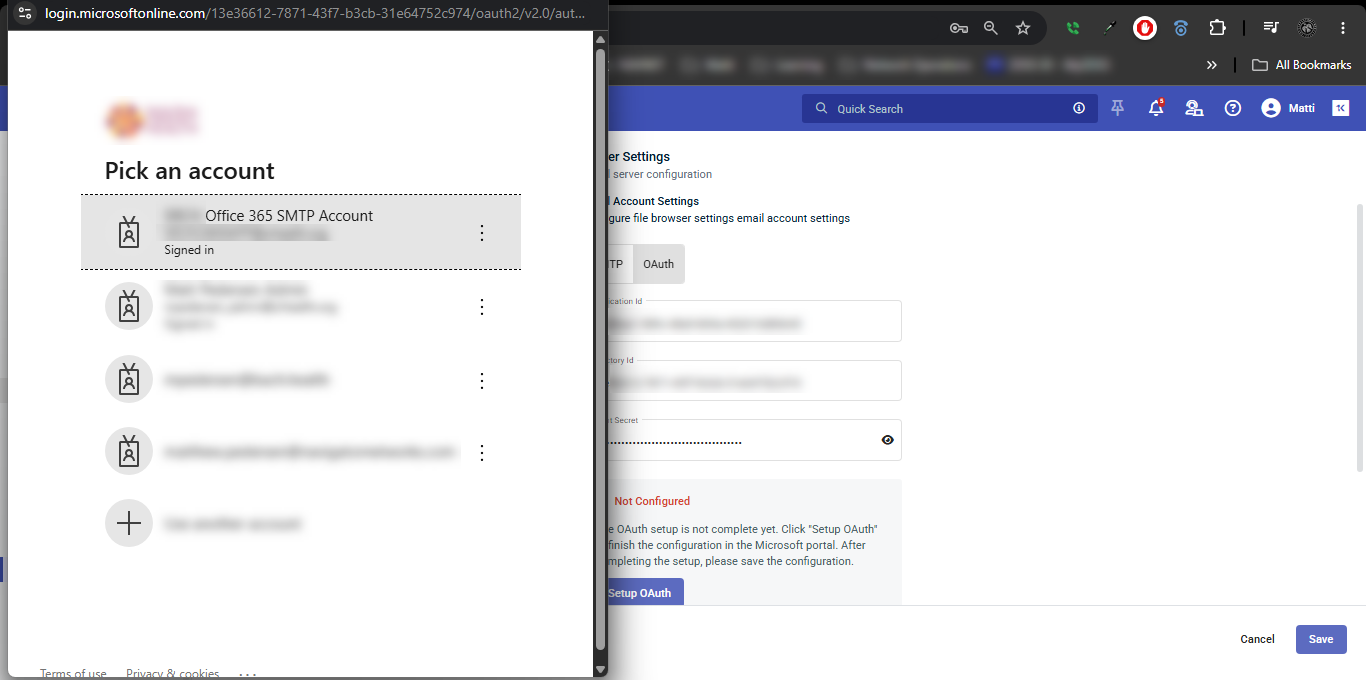
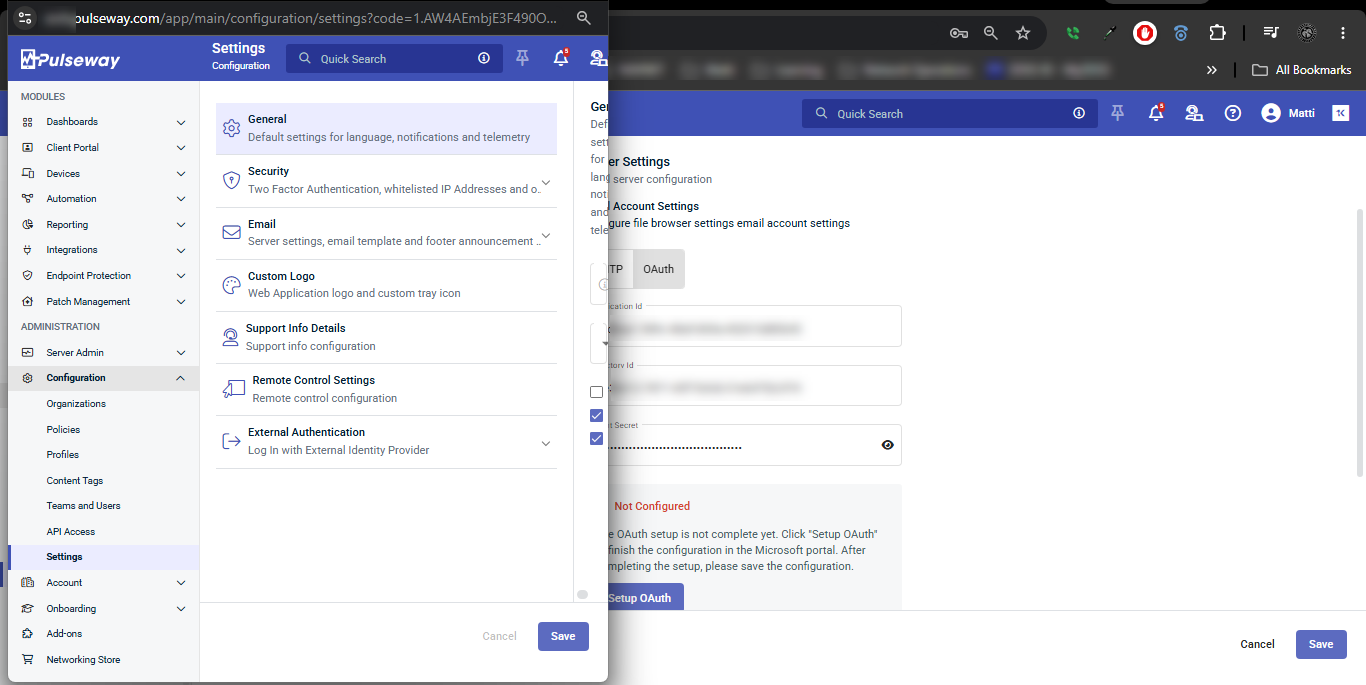
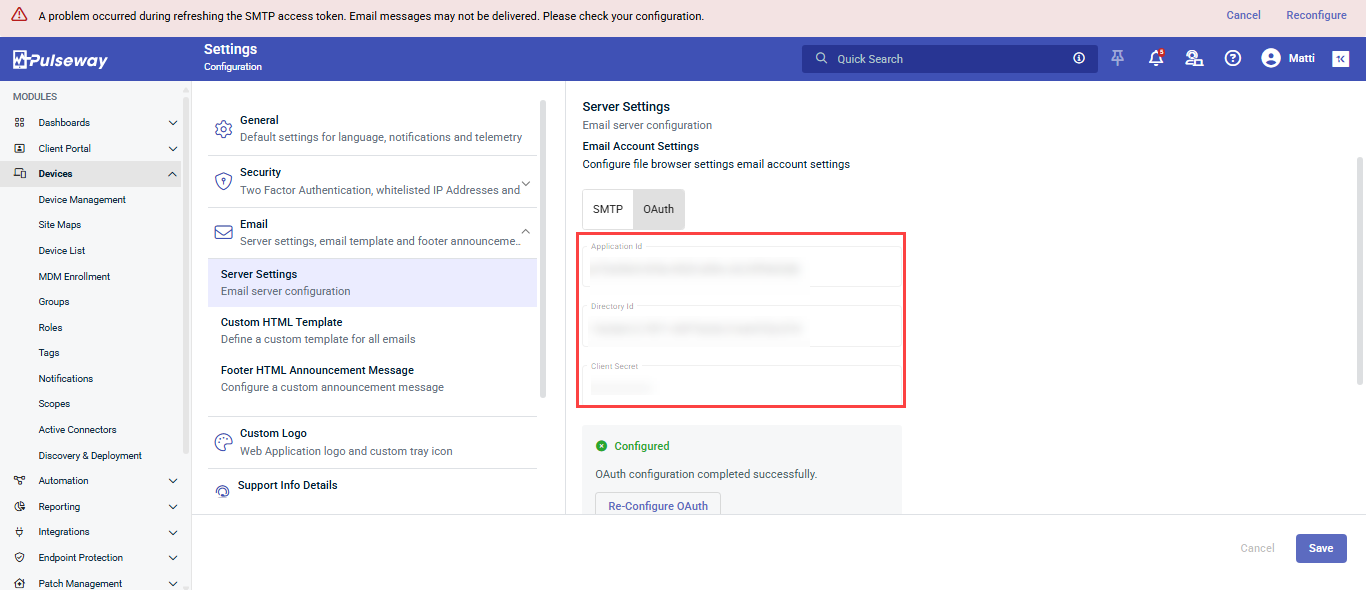
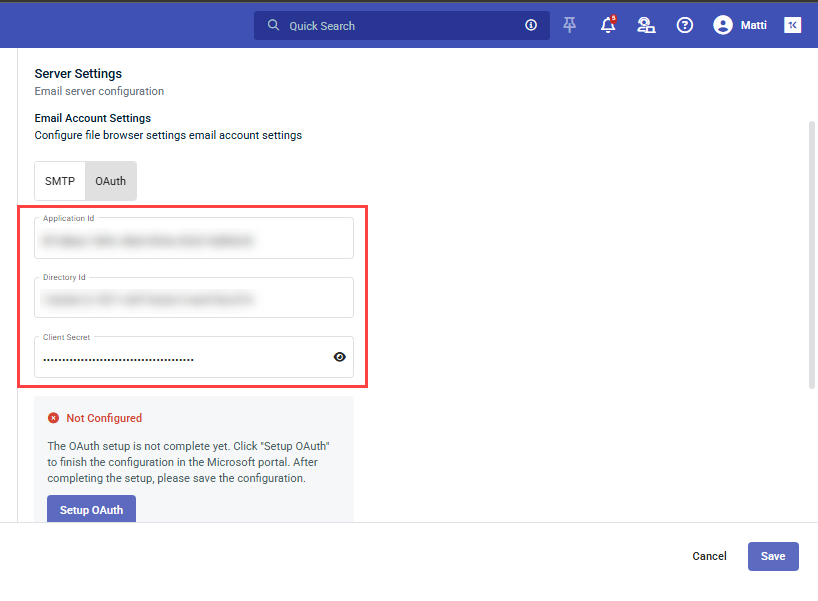
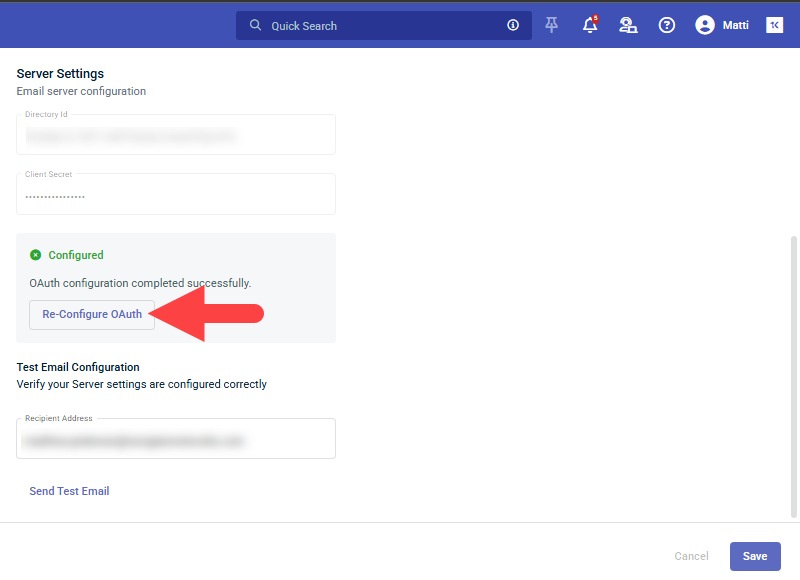
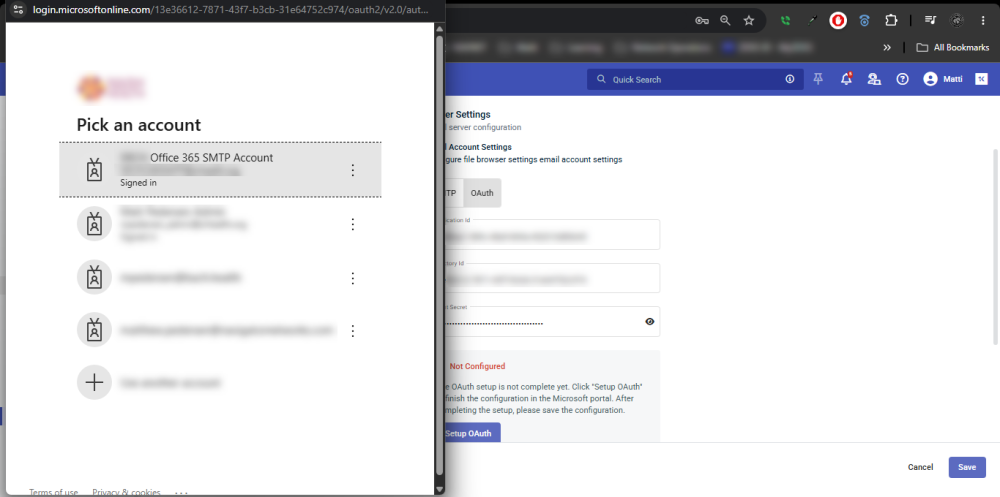
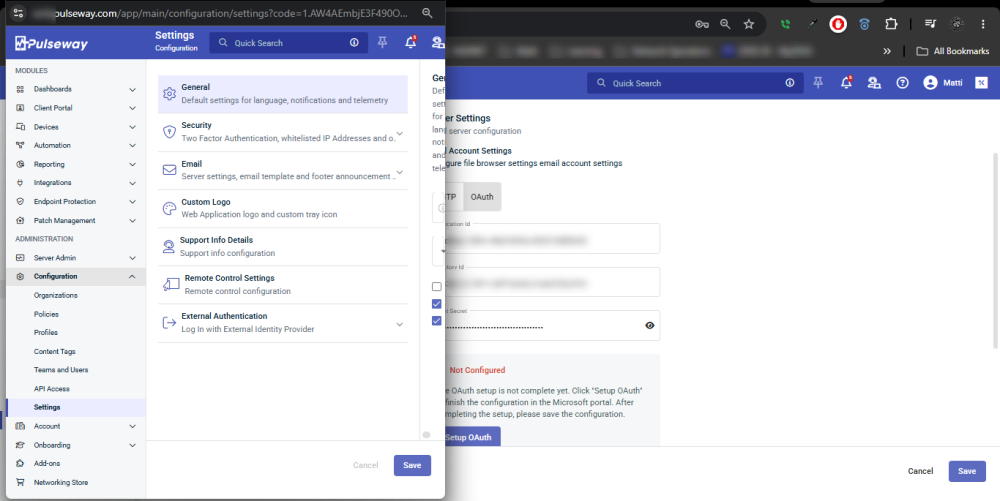
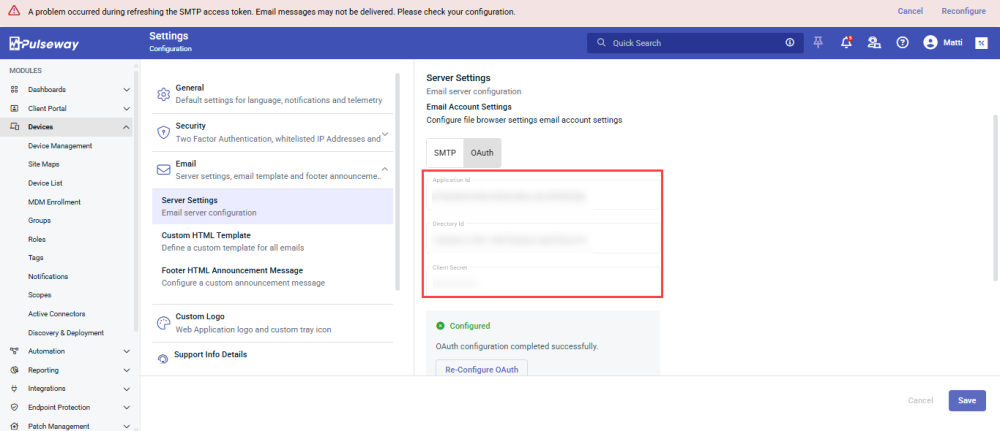
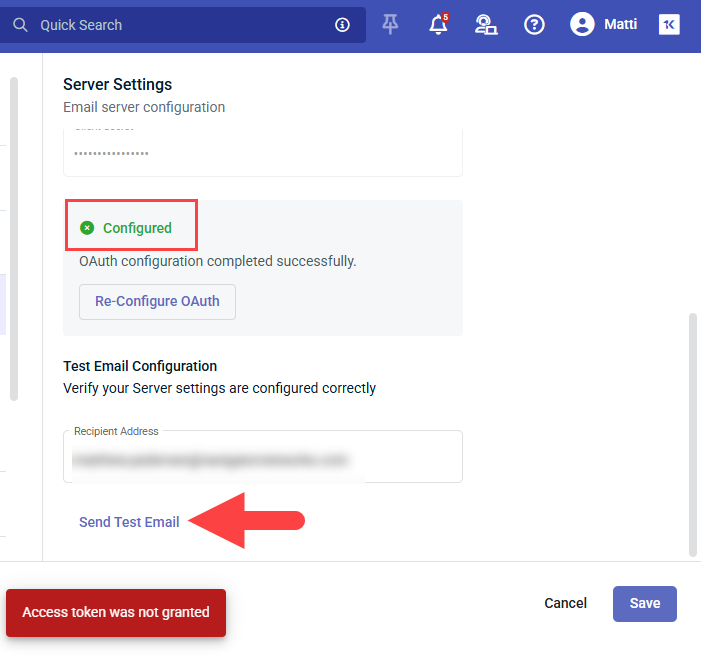
We're running into this same issue. I've come across a few bugs in regard to the OAuth 2.0 Email Settings. Firstly, when you attempt to "Re-Configure OAuth", it won't even open the login.microsoftonline.com window, to allow you to Select an alternative Account. It simply activates the "Application Id", "Directory Id" and "Client Secret" Fields, but after re-submitting, it assumes that you want to use the same Email Account/Credentials. I actually had to completely Delete our original "Pulseway RMM" App Registration and create a new one, from scratch, with a new "Application Id", "Directory Id" and "Client Secret", before it would the Pulseway Email Settings Web UI would actually open the login.microsoftonline.com Window, allowing me to select another Email Account. Unfortunately, there is a bug in this process, as well. I say this because after successfully signing into the correct O365 Account, it doesn't return to the original Pulseway Email Settings window, but rather, it loads the Email Settings page directly into the Microsoft Sign-in window. Worse yet, when I maximize this window, I find that the OAuth Form contains the "Application Id", "Directory Id" and "Client Secret" from the old/Deleted App Registration, which still says that it is "Configured", for some reason. Of course, when you attempt to click on the "Send Test Email" option, it immediately fails, with an "Access Token was Not Granted" Message. I've gone over the App Registration Settings multiple times and I am confident that the App Registration Settings are correct. That being said, there appears to be no working method for changing an OAuth SMTP Email Address, at least for the present time. Any assistance you can provide with this issue, will be greatly appreciated. Thank you, in advance. P.S. It might also be a good idea to update your documentation to inform admins that the account you're authenticating with, will be the account from which Emails/Alert messages will be sent (since many apps require "Application" MS Graph API Permissions, as opposed to "Delegated" Permissions).
- Earlier
-
Noel Castro joined the community
-
mackenize23 joined the community
-
jimijan joined the community
-
Yes, system files and BIOS level settings can definitely affect stability, but it depends on what kind of software you’re running. For normal monitored machines, I’d first check the basics: CPU/RAM usage, background services, drivers, storage health, logs, and whether Pulseway is reporting spikes at the same time the app slows down. In many cases the issue is not the BIOS file itself, but drivers, virtualization settings, power settings, or missing dependencies. For emulated software, BIOS or low level system files matter more because the app may depend on them to boot or behave correctly. If those files are missing, wrong region/version, corrupted, or placed in the wrong folder, you can see crashes, black screens, or poor performance. My first checks would be: update drivers, confirm the app dependencies, check event logs, test with a clean config, and compare performance before and after changing any BIOS or emulator settings.
-
james wright joined the community
-
Great explanation and helpful clarification from the support team, it really clears up the confusion and makes the plugin setup process much easier for beginners. It’s always good to see quick responses that help developers stay on track. Discussions like this also help others facing similar setup issues, just like finding useful resources around Spotify IPA for learning and testing environments.
-
elzy joined the community
-
jfshortfinancial joined the community
-
We just faced a somewhat similar issue where on new computer installs everything worked normally until after a while (seemed like an hour or two) when Pulseway lost the ability to run (Powershell) scripts and the Pulseway Powershell prompt would bring up the following error: Could not load type 'MM.Framework.Utils.Native.NativeProcess' from assembly 'MMUtilsFw, Version=6.6.1.1101, Culture=neutral, PublicKeyToken=((REDACTED))' I narrowed it down to the issue beginning when the Pulseway agent updated itself to 9.2.6. I was able to solve the issue by using the very latest install agent (MSI) and using it over the previous PW install which interestingly enough, didn't give me the option to repair/uninstall Pulseway but I did need to shut down Pulseway from running for it to proceed. Fortunately, I'm not seeing this on previous Pulseway installs, just the ones starting from the past couple of months where I was using an "old" MSI install agent.
- 5 replies
-
- bug report
- fail
- installation
- upgrade
-
Tagged with:
-
Roberts Sharicia Lynette joined the community
-
I receive a lot of notifications in the Pulseway app that I want to keep. eventually In total, I get around 450 notifications. If I want to view the normal or elevated alerts, I have to scroll down quite a bit to see it. This is not neccesarry I think. A good solution would be that when you tick on the title (e.g. critical), the entire list of critical alerts collapses and you can see the elevated alerts straight away. When you tick again on the title, the list expands. This would apply to every title where you tick (critical, elevated, normal, low).
-
Hi everyone, I’ve been using Pulseway to remotely monitor and manage systems, but I recently ran into some performance and compatibility questions I’m not fully clear about. In some setups especially with emulated software or media tools low-level system configurations or system files can affect overall performance and stability. I found this site while researching BIOS and related system files, but I’m not totally sure how this relates to actual performance on monitored machines. Has anyone seen cases where BIOS settings or system-level configurations caused application lag or stability issues? What would you recommend checking first in such situations? Thanks in advance!
-
Welcome to the community! Since you have experience in coding education and documentation, you’d probably fit well in categories related to tutorials, learning resources, beginner guidance, or technical discussions. Usually, the best category depends on your topic, expertise, and the kind of audience you want to help or learn from.
-
Ah, I've been there, that empty product location list is frustrating! Don't worry, you're not missing something obvious. Here's what's happening: the "+/-" button you're clicking is trying to pull products from a catalog that hasn't been built yet. Think of it like a vending machine with nothing inside, you've got the button, but no products to drop down. You'll need to go into your system's main "Products" or "Inventory" section (usually found in the main settings or admin panel). That's where you add items, set prices, descriptions, and assign them to categories or locations. Once you save a few products there, they'll magically appear when you click that +/- button in the quote generator. Need some ideas on how to organize your product list or what categories work best? You can browse product categories for inspiration. Add those products first, then try again, you'll be generating quotes in no time!
-
Thanks for the Pulseway 9.15 breakdown! The unified KaseyaOne login and Cooper AI insights look like major wins for smoother access and proactive issue catching. On a side note, since we're sharing useful resources, I recently found a website that clearly explains TPO rubber roofing as a modern alternative to traditional rubber roofing. I was genuinely impressed by how it breaks down durability, energy efficiency, and installation benefits. If you're exploring roofing options for a project, you can click here honestly, it's worth a read. The comparison makes the advantages easy to grasp. Looking forward to testing out Cooper's patch policy alerts and the centralized billing in 9.15. Thanks again for sharing this update.
-
We have patch management setup for all our Windows Servers, when the patch policy runs it is supposed to create a restore point but it fails every time without fail. The history always shows Creating restore point failed. What would be causing this restore point to fail on every single machine?
-
-
Hi there, Have you tried installing .NET Framework 4.8.1? We don't officially support it but we've seen some working cases. -Paul
-
It sounds like your issue is related to the subscription status on the service side rather than the client software itself. When access is restricted to “active subscribers only,” the dashboard and web portal usually stop working even though the device software may still send data and notifications for a short time. You might want to double-check your account status or consider renewing the subscription if you still need full dashboard access. Sometimes these tools keep limited functionality (like mobile alerts) even after expiry, which can be confusing. If you're exploring alternatives or need help with similar setups, you could also check out this resource from a digital marketing agency Middle Tennessee, I’ve come across their insights and services, and they seem to have a solid approach to digital tools and online systems.
-
Thanks for posting this question about Pulseway. Creating a contract for a limited number of tickets (like 30 per year) with overage charges isn't straightforward in Pulseway based on standard contract types. The platform typically offers block hours, per-device, or flat-fee contracts, but ticket limits aren't natively tracked. A possible workaround: use a block hours contract and manually track each ticket as a fixed time increment (e.g., 1 ticket = 0.5 hours). For overage, set up an additional billing item. Alternatively, consider third-party PSA tools that handle usage-based contracts more flexibly. On a different note, if any business handling IT contracts also needs reliable waste disposal for office cleanouts or equipment removal in Middle Tennessee, this service 📦 offers affordable roll-off dumpster rentals. Driveway-friendly 15 and 20 yard bins, flat-rate pricing, and fast delivery across Columbia, Spring Hill, and Franklin make cleanup simple. Good luck getting the Pulseway contract figured out.
-
-
-
-
Having an issue installing the Pulseway Agent on any laptop with Snapdragon. Any ideas?
-
-
test123123 changed their profile photo
-