_a9c1b4.png)
_49ee3f.png)
Search the Community
Showing results for tags 'linux'.
Found 61 results
-
Hi all, Searched the forums but haven't found anything. Looking for scripts to monitor the status of a ZFS Pool on Proxmox and ideally a seperate script for monitoring SMART status as well.
-
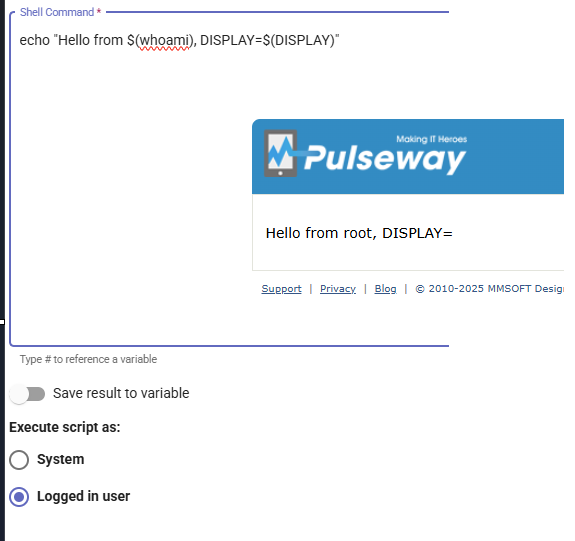
Hello, Just want to preface this by saying I’m fairly new to SysAdmin work. That said, I appreciate any insight and would kindly ask if replies could avoid assuming too much context. :) I was tasked with opening a specific URL on every machine in the domain at a scheduled time. I set up a workflow (currently running only on manual starts from the Automation Hub) as follows: Windows: Start-Process "explorer.exe" "[URL]" macOS: open "[URL]" Linux (Ubuntu 24 test machine): see below On Windows and macOS, the commands work perfectly and the workflow ends as soon as the browser launches. On Linux, however, I ran into issues. The Pulseway agent always seems to execute commands as root (even when the “Run as logged in user” option is selected). I tried running the command as the seat0 user with runuser -u, but Firefox/xdg-open wasn’t inheriting $DISPLAY/$WAYLAND_DISPLAY, $XDG_RUNTIME_DIR, and $DBUS_SESSION_BUS_ADDRESS correctly. After a lot of band-aid fixing, I ended up with this super scuffed one-liner (I am aware this is probably very suboptimal, but it at least launches Firefox so I'm not touching it until I know more): U=$(loginctl list-sessions --no-legend | awk '$4=="seat0" && $3!="gdm" && $3!="lightdm"{print $3; exit}'); if [ -n "$U" ]; then UID=$(id -u "$U"); (runuser -u "$U" -- bash -c '(( env WAYLAND_DISPLAY=wayland-0 XDG_RUNTIME_DIR=/run/user/'"$UID"' DBUS_SESSION_BUS_ADDRESS=unix:path=/run/user/'"$UID"'/bus /usr/bin/firefox --no-remote --new-instance --new-window --start-maximized "[URL]" >/dev/null 2>&1) &) & disown'); fi; exit 0This does successfully launch Firefox with the URL, but the workflow action hangs for ~30 minutes (until max execution time hits, currently set to 1h). I’ve tried: >/dev/null 2>&1 & nohup disown spawning a subshell and exiting it in hopes that would trigger the pulseway agent to get a kind of "command executed" signal. But nothing has worked, the workflow still hangs instead of completing once the command is handed off. So I think I’m misunderstanding something fundamental either about Linux process handling, or how Pulseway agents execute/track Linux commands within workflows. Happy to provide any further information if needed, thank you in advance! Veljko (Max)
-
Hello there, This is my first post after just joining this discussion, so please forgive me and provide kind assistance if I have posted to the wrong subsection. I am new here but a real enthusiast and loving😍 this community so far. I have a background in teaching coding and in education and feel I could help with documentation, at least for starters. As a new member in this forum and wish to share and gain some knowledge. I am looking forward to create my own discussion to resolve my query and gain some knowledge though I have taken part in various discussion which is definitely helped me a lot. Also in what category should be taken depends on what factors? Thank you in advance for your help and assistance.😇
-
I am trying to install pulseway onto a Debian 12 machine. I follow the steps in this article and I always end up with errors. Once I go through the pulseway-registration on the machine I get a link to access on my browser. Once I authenticate on the browser, I get an error that says "object reference not set to an instance of an object". I have tried several times with different accounts as well as on different machines running the same version of Debian. What can I do to get this resolved?
-
-
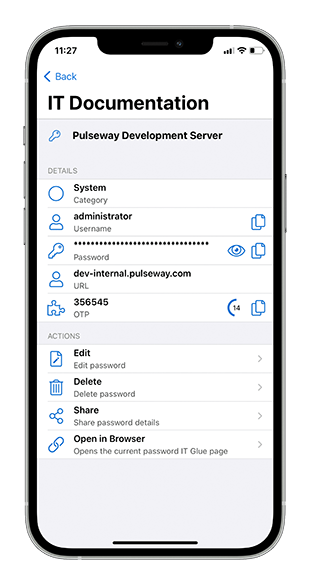
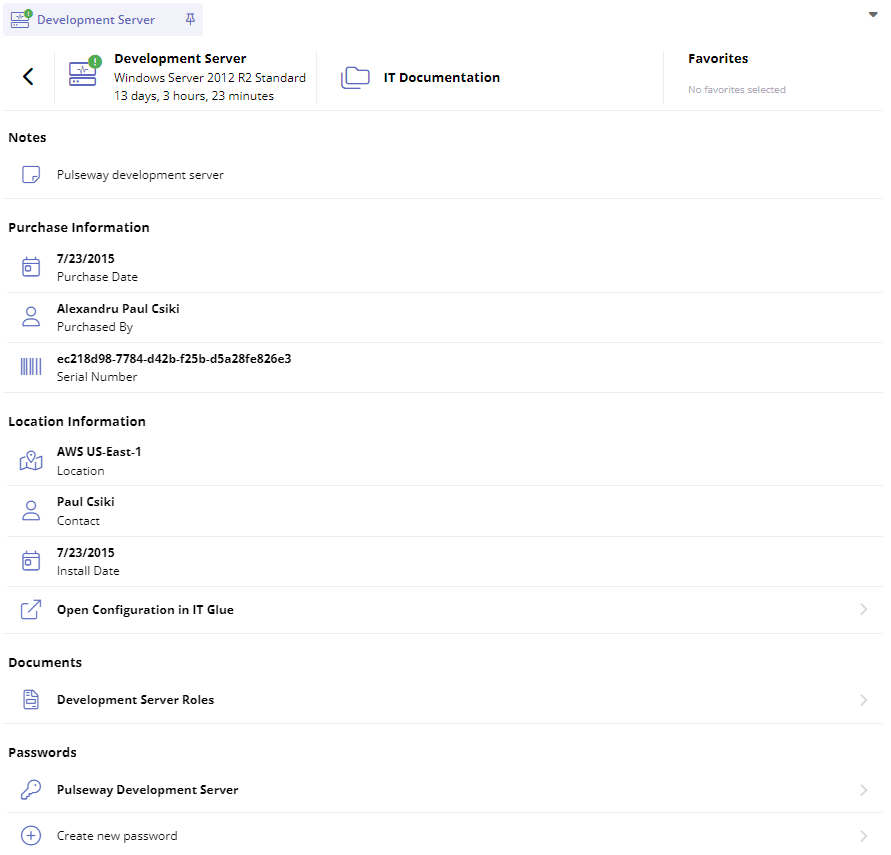
Bring IT Documentation in your daily workflow through the IT Glue integration. Within the system details screen you can now access asset information, related documents, and related passwords for the matching IT Glue configuration.

.png.df92276e961491eb29912174f0262d91.png)
- 2 replies
-
- windows
- configuration
- webapp
- android
-
Tagged with:
-
-
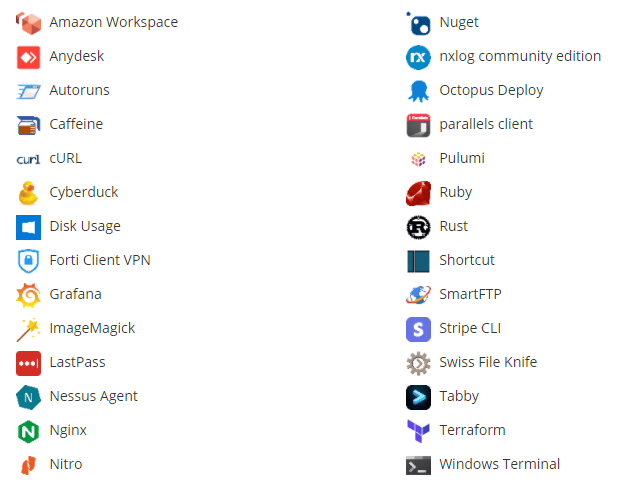
We continue to add new titles to the 3rd Party Patch Management application catalog, with 28 added since the last update: General Improvements Monitoring and Management of Microsoft SQL Server 2014 and higher is now supported Alligned the user session status messages to match the ones used by the Windows operating system
-
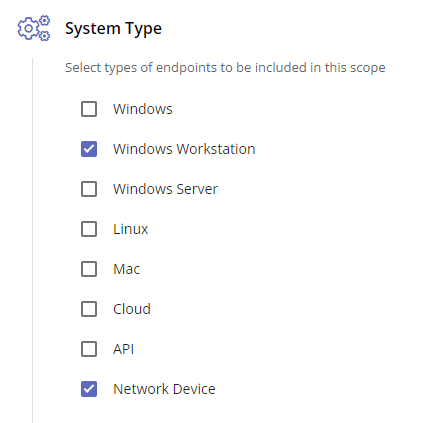
Scopes have been enhanced to include the use of Custom Fields, which supports multiple Rules with the ability to match Any or All rules, the addition of Organizations and Sites to the Context selection, and Network Device has been added as a new System Type.
-
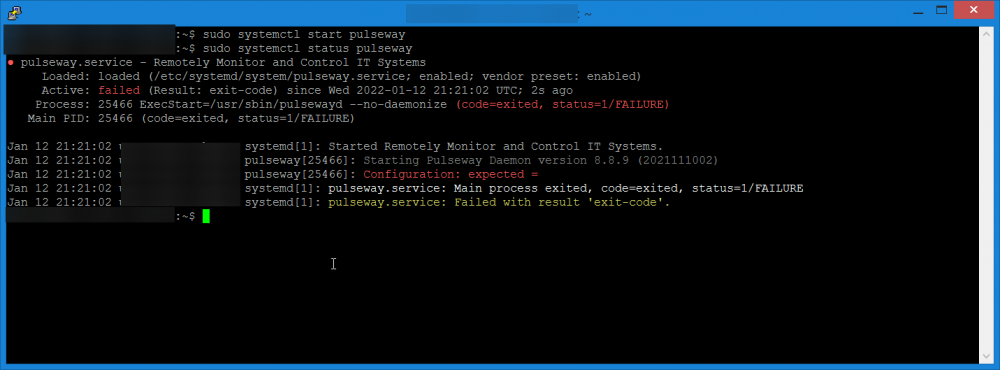
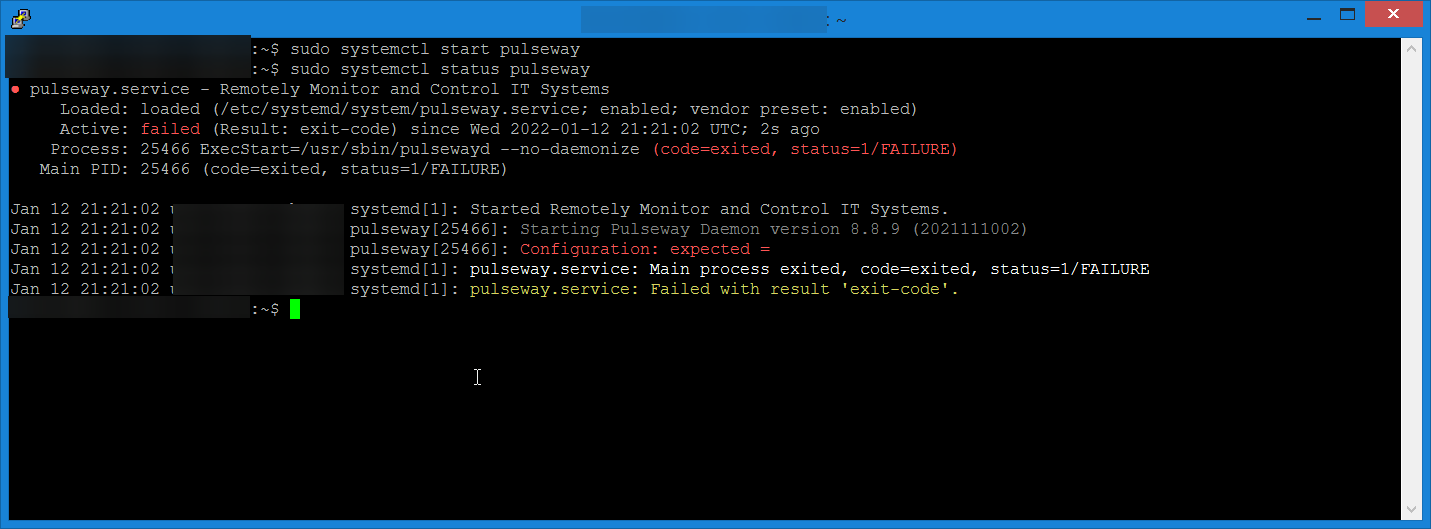
After a recent System Update and Reboot, the Pulseway Service now fails to start up with the error message "Configuration: expected =" No configuration files were touched or changed, can´t find anything wrong with /etc/pulseway/config.xml either. Server Specs: Ubuntu Server 20.04.3 LTS, 16GB RAM, ARM / aarch64 Updated packages before reboot: cockpit, cockpit-bridge, cockpit-packagekit, cockpit-storaged, cockpit-system, cockpit-ws, command-not-found, iptables-persistent, libcephfs2, libnss-systemd, libpam-systemd, librados2, libsystemd0, libudev1, netfilter-persistent, openssh-client, openssh-server, openssh-sftp-server, python3-commandnotfound, systemd, systemd-sysv, systemd-timesyncd, u-boot-tools, udev Error Screenshot:
-
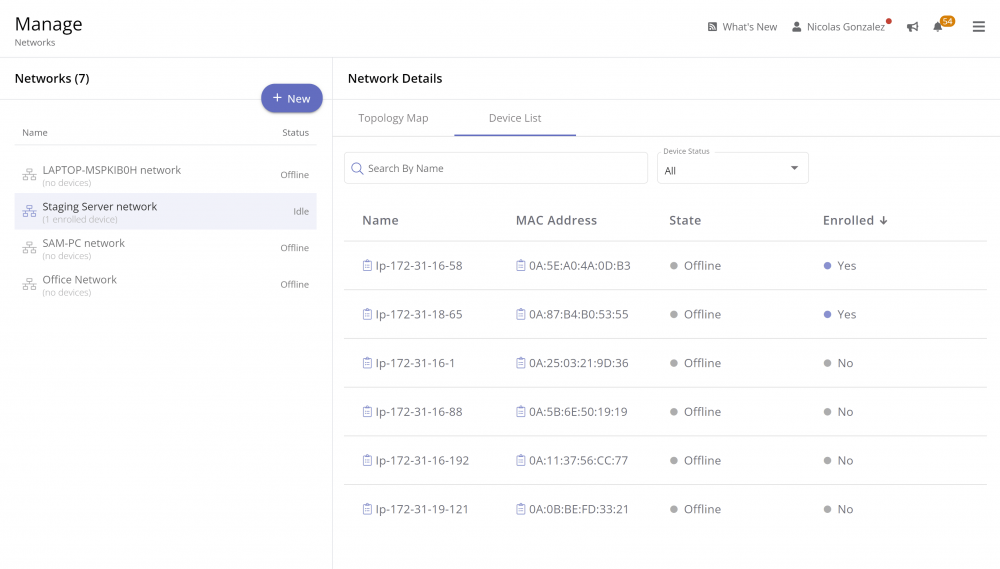
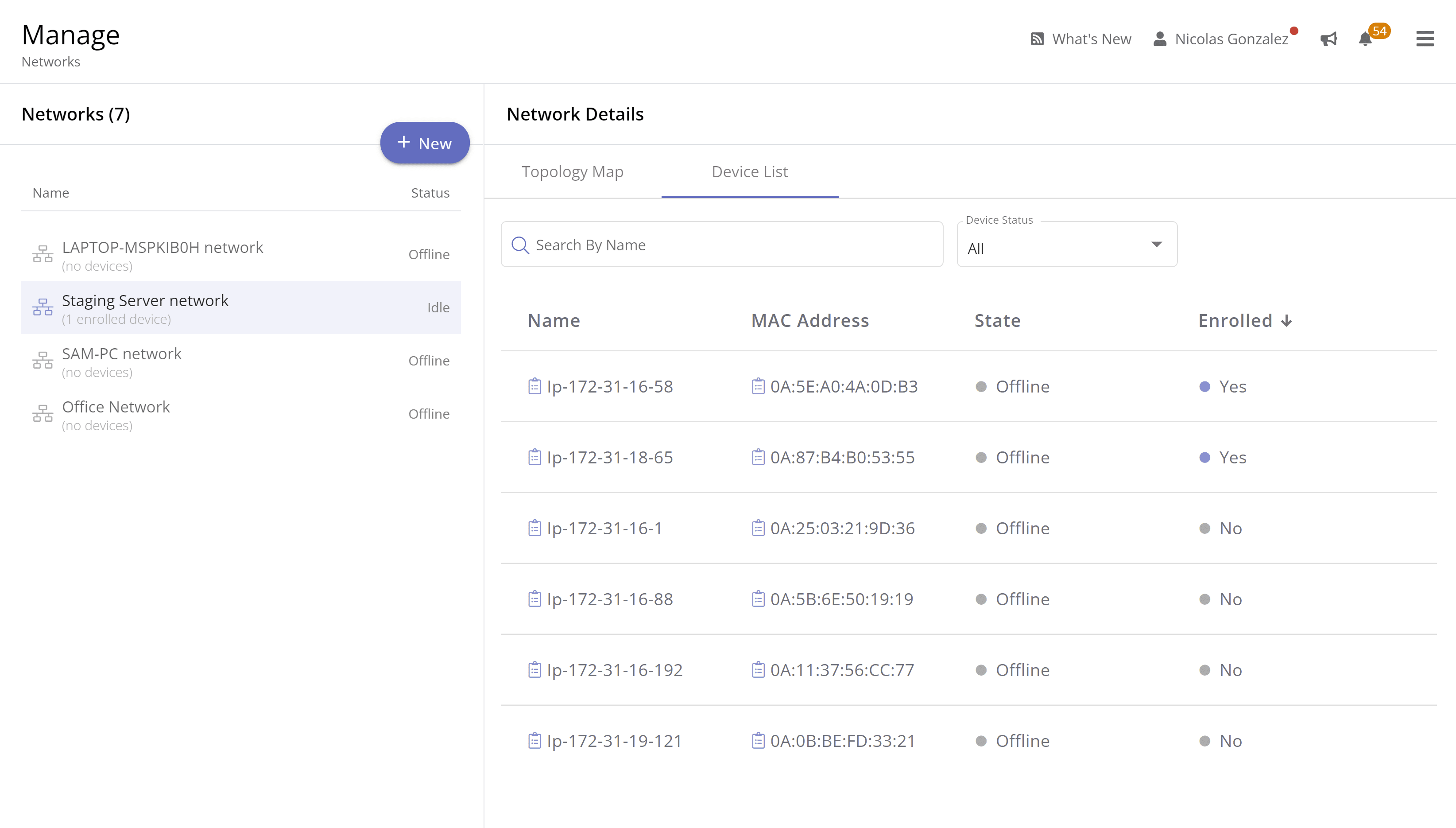
Search, filter and quickly find network devices with the new Device List.
-
- windows
- webapp
- configuration
- enterprise
-
Tagged with:
-
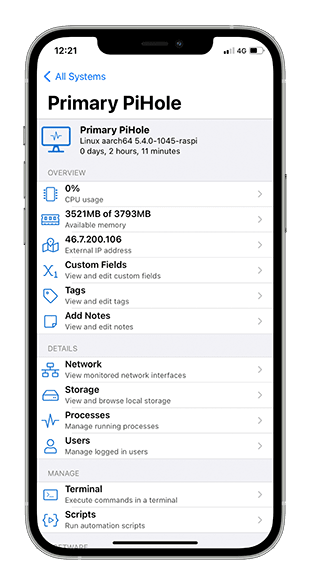
With the 8.8.9 Linux Agent, you can now install Pulseway on ARM64-based devices (Raspberry Pi 3 and 4).
-
-
-
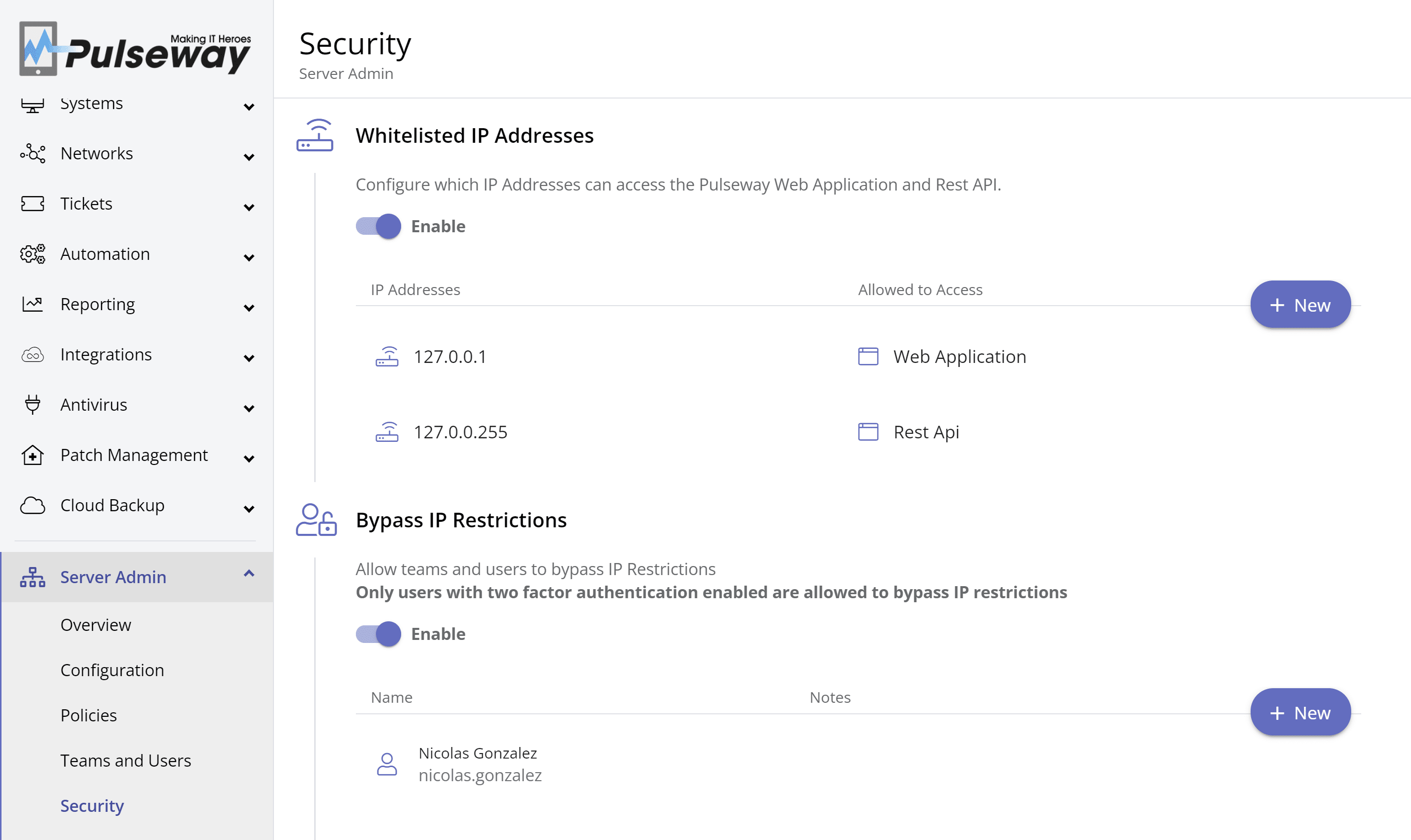
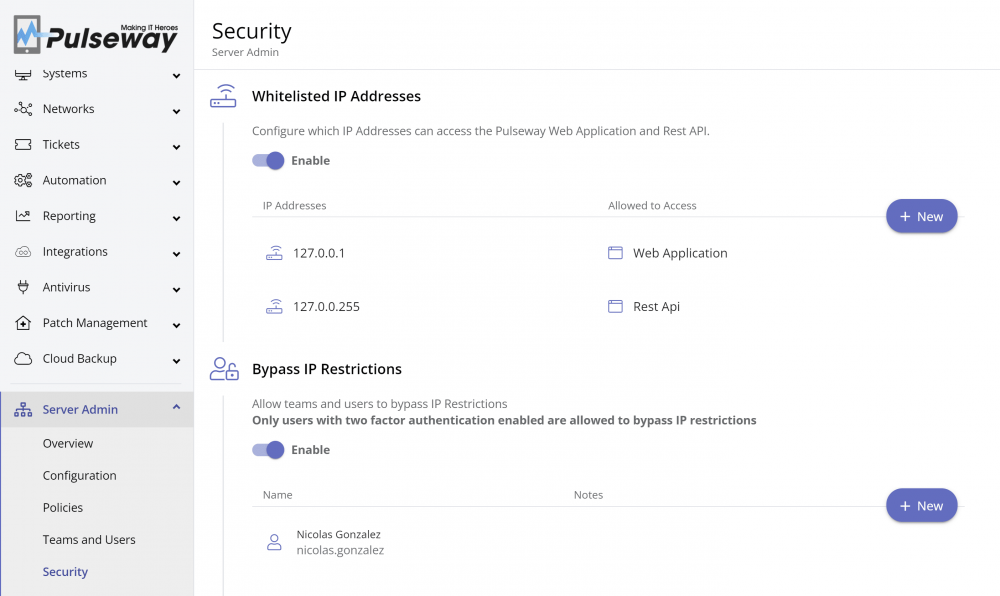
Further protect your instance by restricting access to the Web Application and Rest API to specific IP addresses. Teams and users with dynamic IPs can be configured to bypass IP restrictions if they have two factor authentication enabled.
- 5 replies
-
- windows
- linux
- mac
- enterprise
-
Tagged with:
-
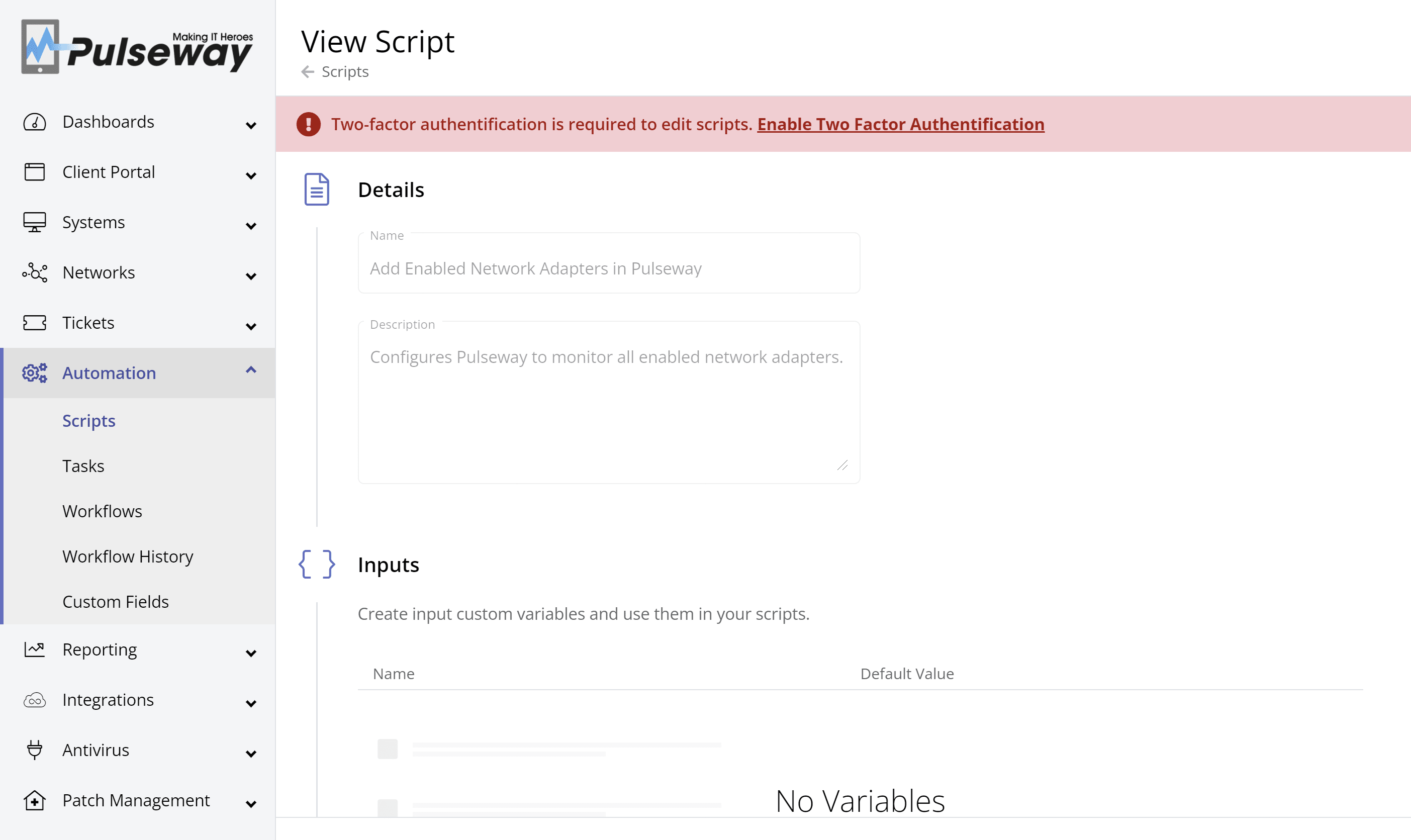
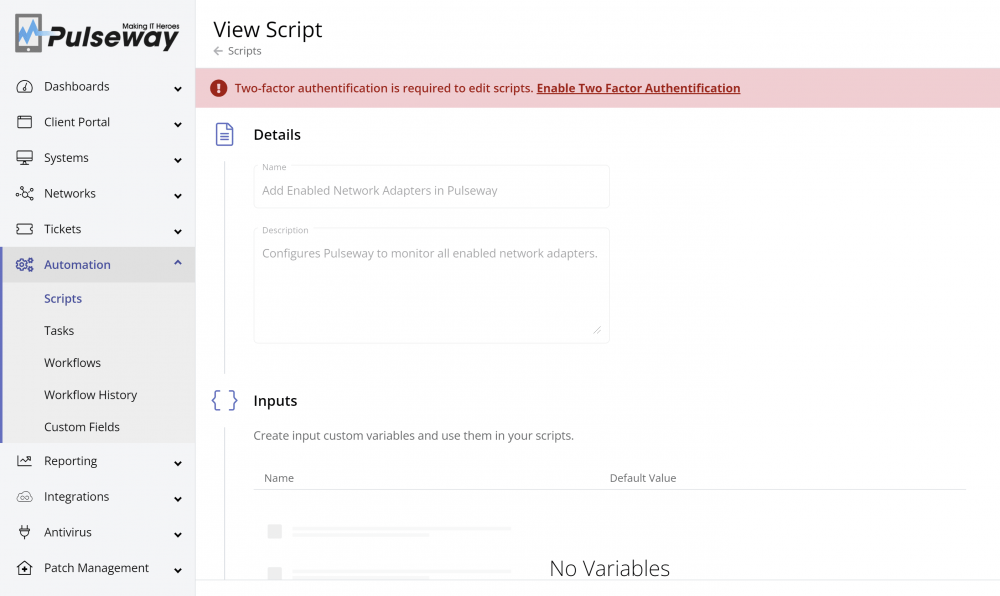
Continuing our commitment to providing a secure environment, accounts with access to critical areas such as editing scripts and distributing custom titles, are now required to enable two factor authentication.
-
- windows
- linux
- mac
- enterprise
-
Tagged with:
-
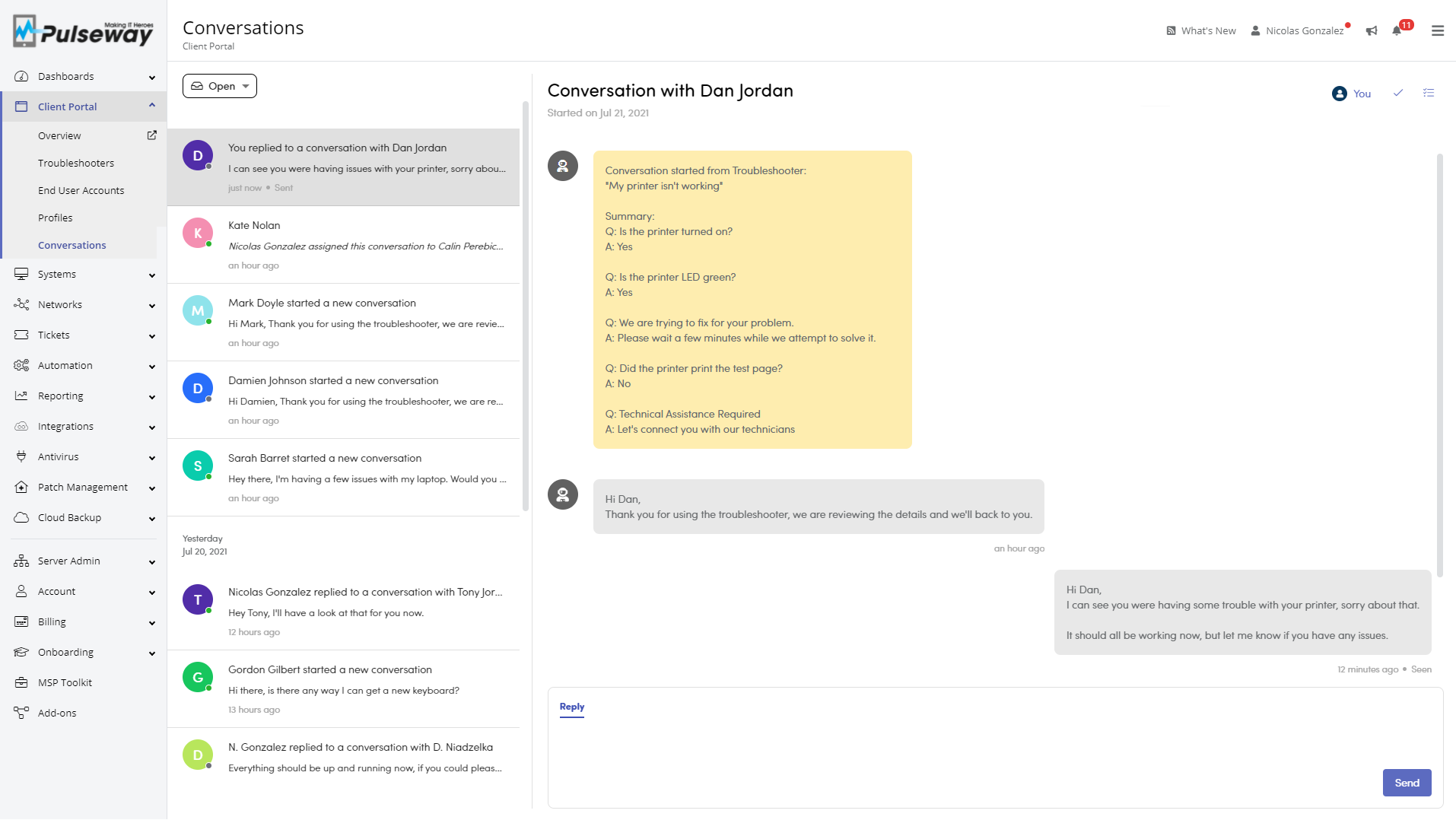
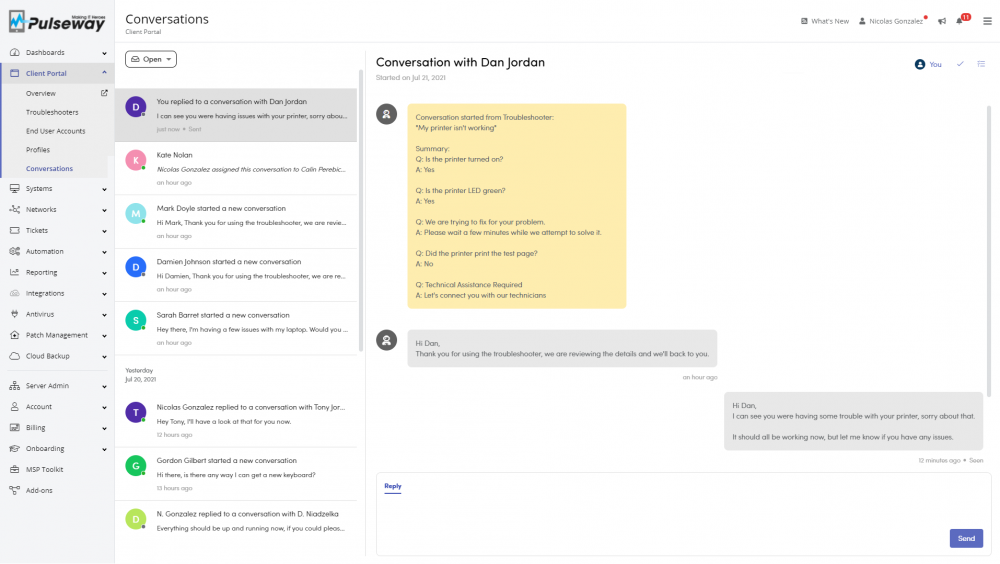
Pulseway Client Portal now includes a built-in chat function that allows the end user to communicate directly with a technician. This can be started automatically as a step in a troubleshooter, or you can give users the option to start it directly themselves. A summary of the chat is recorded and can be sent to the technician. Automation Workflows: Run assigned patch policy Start patching systems as they get added to Pulseway using the new Run Assigned Patch Policy action, now available for the System Registered workflow trigger. Remote Desktop Improvements Introducing Adaptive FPS to deliver the optimum resolution for the current network connection, resulting in an enhanced user experience.
-
Hi, i want to know how i can monitor the dropbox daemon on linux, i'v tried things with workflow but when i stop the service manualy it won't send me a notification or try to restart the service, and that is bothering me becaus on our servers we need to have dropbox running all the time for our application, i know that dropbox is weird on linux, it won't show with systemctl, but it's still like a daemon. I'm running debian buster machine all up to date with the last pulseway agent
-
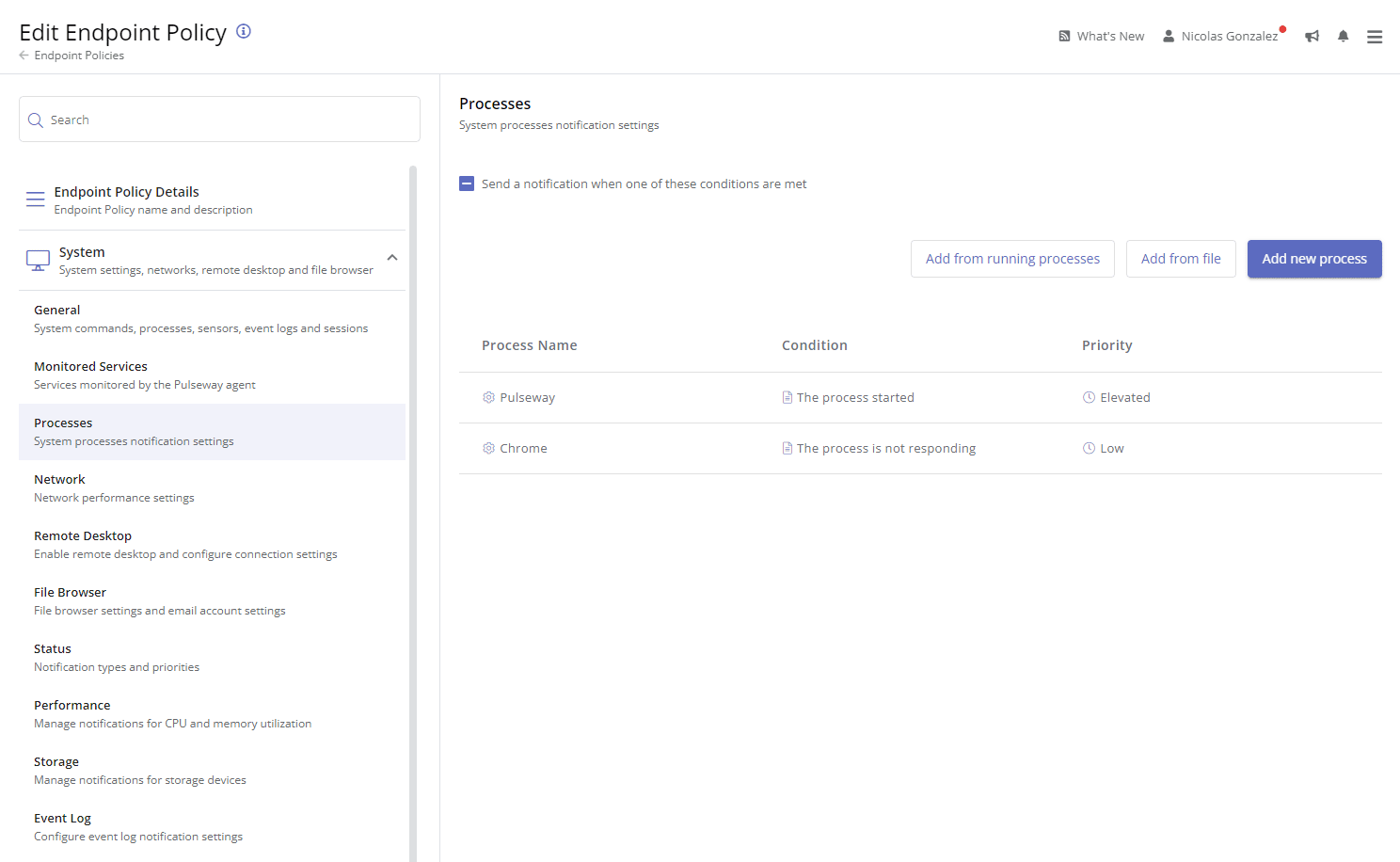
I am trying to configure Pulseway on my Ubuntu Server 20.04 LTS machine, but I'm having issues getting it to recognise systemd services. The services I want to monitor are smbd, plexmediaserver and clamav-freshclam. Regardless of what configuration I use, none of these services are even recognised by Pulseway let alone monitored. I have also tried setting each service as "NONE", "UPSTART" and "SYSVINIT" but nothing seems to work. The strange part is that ssh is monitored despite the fact that it's configuration is identical to the others. Here is a screenshot of my configuration: Can someone please help me out here? Is there something I'm missing? EDIT: Never mind. It suddenly started working after I posted this.

-
 Guest posted a topic in LinuxHello there, I was in the process of configuring my Pulseway agent on a VPS running Ubuntu Server 20.04 and I ran in this interesting bug. Even using the sample config provided by the agent, uncommenting the Ping Responses bloc throws this error in the log, and prevents the service from starting. vps pulseway: Starting Pulseway Daemon version 6.5 (2019082205) vps pulseway: Configuration: Values for 'Milliseconds' attribute at 'PingResponse' node 10.6.0.53(1) should be between 1 and 1000 vps systemd: pulseway.service: Main process exited, code=exited, status=1/FAILURE The PingResponse bloc in /etc/pulseway/config.xml looks like this: <PingResponses> <PingResponse Address="10.6.0.53" Milliseconds="1500" Minutes="1" PriorityOnSlowResponse="1" PriorityOnNoResponse="1" Alias="vps DNS notif" Enabled="true"/> </PingResponses> So then I tried many Milliseconds values between 1 and 1000 but the same exact error always comes back. Is this a known issue or is there anything wrong with my setup? Many thanks to anyone who can help, Best,
 -
-
-
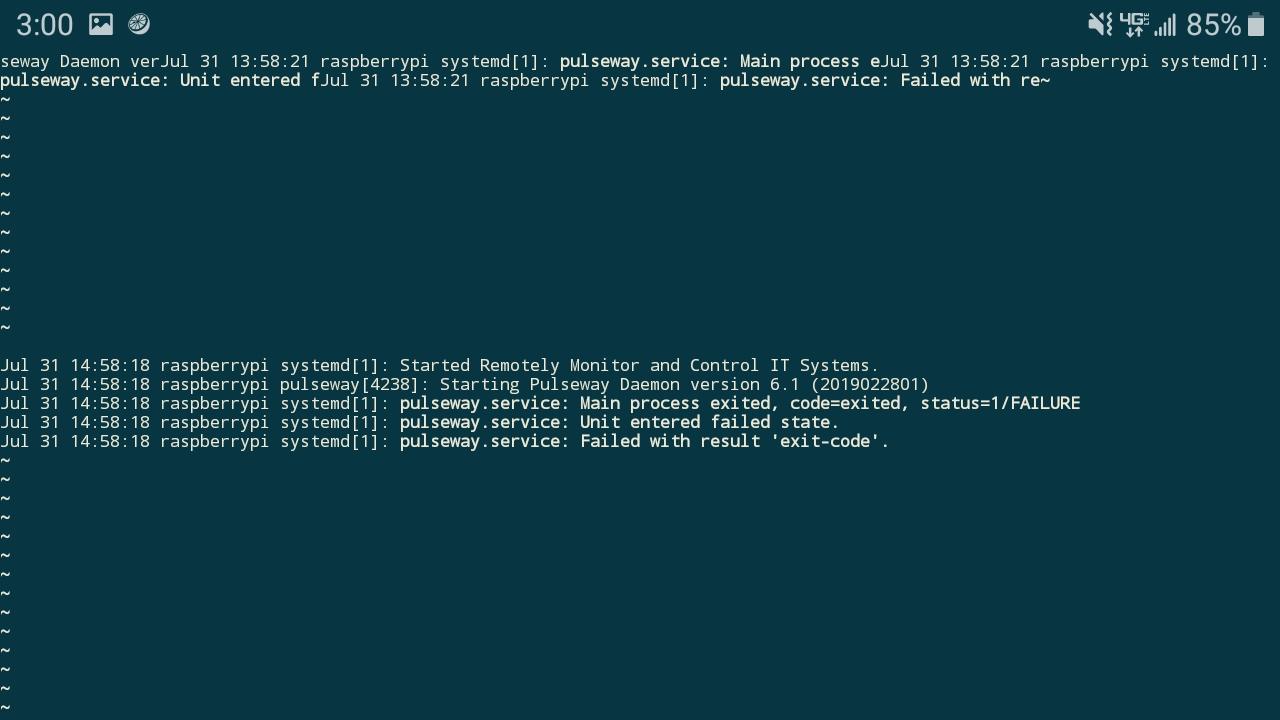
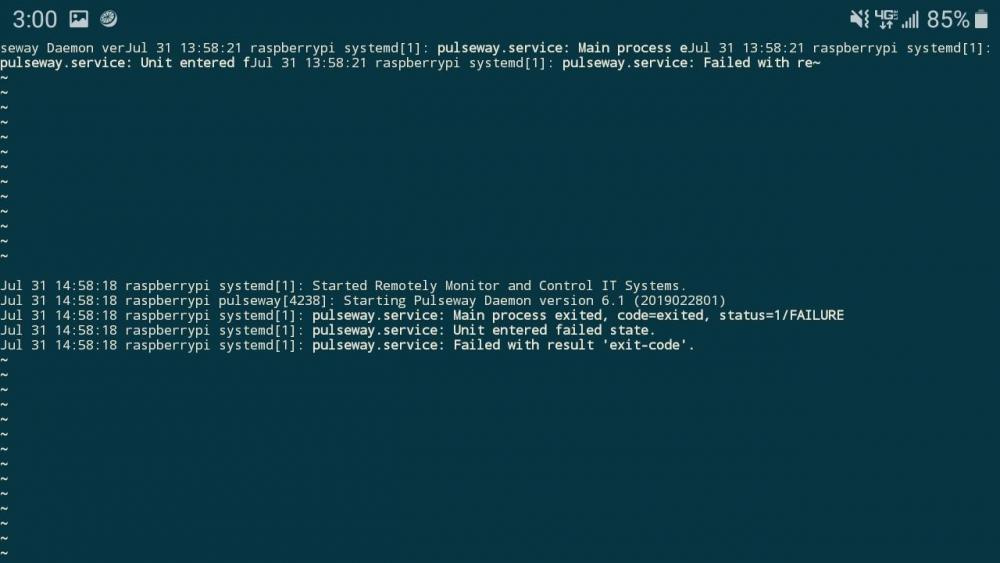
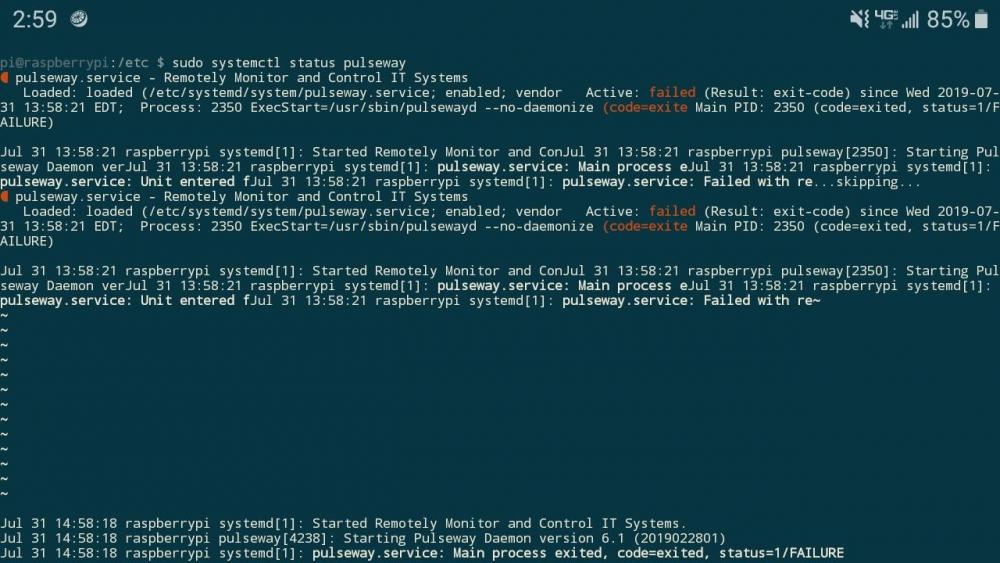
I am attempting to install pulseway on my raspberry pi 3b+, and have downloaded and installed the correct file from the pulseway website, and made sure that my openssl libraries are up to date and correctly setup. I followed through with the given installation instructions and repeatedly the pulseway service is unable to be started. When executing the command sudo systemctl start pulseway, the command works and presents no errors. Upon checking the app or the list of all services, however, pulseway is not shown as a service and there is no devices connected to the app. See the attached images for the output of sudo systemctl status pulseway
-
Please expand the list of programs on 3rd Party Patch management. Some suggestions: Adobe Flash Amazon Corretto (Since Oracle Java is not free anymore) Dropbox Gimp Google Gsync (GSuite) K-lite Codec LibreOffice OpenVPN Thunderbird WhatsApp Desktop Client
-
Hi, I think it misses the ability to monitor bandwidth on servers and users computers. It would be nice to have a history of several weeks and the services used.









.png.e847647afb3233c9f3d804ec4fbfbfec.png)
.png.5e42c87006e86454385e3ae3b0b1b470.png)