
_a9c1b4.png)
_49ee3f.png)
All Activity
Past hour
-
Zendesk is moving away from API Tokens to OAuth and support has confirmed to me that this means api tokens and username/password based zendesk integrations will no longer work. Curious to know how Pulseway is handling that.
Today
-
Hi all, Searched the forums but haven't found anything. Looking for scripts to monitor the status of a ZFS Pool on Proxmox and ideally a seperate script for monitoring SMART status as well.
-
Hi everyone, I'm currently managing a government information website that provides guides on official documents such as Police Clearance, NBI Clearance, and other application processes in the Philippines. One of the biggest challenges is keeping information updated whenever requirements, fees, or online appointment systems change. We're also looking at improving how we handle user enquiries, track website issues, and organise content update tasks more efficiently. Pulseway PSA seems like an interesting solution for managing recurring tasks and support workflows. Has anyone here used Pulseway PSA for managing website operations or content-related projects? I'd love to hear about your experience with ticket automation and project management. Any suggestions would be greatly appreciated. Thanks!
-
hassanfree joined the community
Last week
-
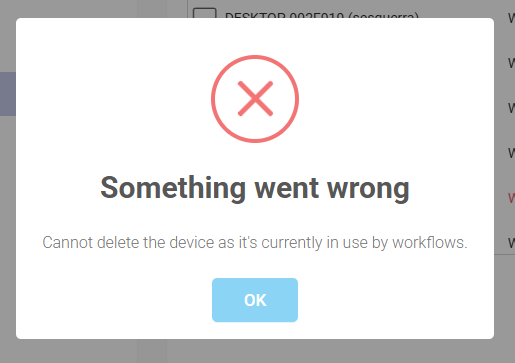
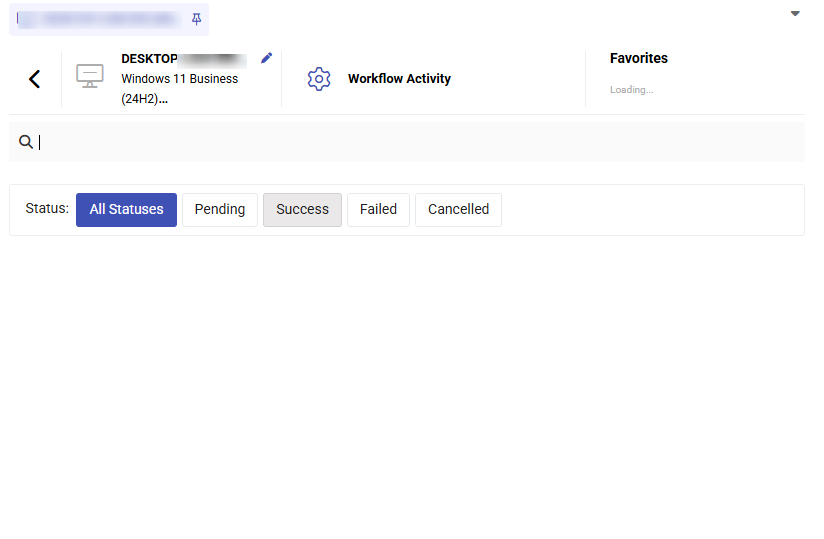
When I try to delete the device from organizations I get this error. There are no workflow activities. The device has no workflow
-
ArifulHimu joined the community
-
-
alight motion mod apk joined the community
-
Athlon1982 joined the community
Earlier
-
Rashadov joined the community
-
cmaciag joined the community
-
Could be a policy that turns off the feature, also look in the available features from the profiles too.
-
This resolved my issue. Thank you.
-
JRJ9591 joined the community
-
Hi Shane, You need to change the url to https://{instance_name}.pulseway.com/api/v3. -Paul
-
-
Hello, I've installed the app from Google store, but when I launch it is different from what the help guide says: it only shows a field to insert the instance name. After I enter my instance name and submit the login, it returns an error that SSO authentication is not available... What's wrong with it?
-
Hi guys, I am testing one of the base PowerShell examples and I get the following error: Invoke-WebRequest : {"Data":null,"Meta":{"TotalCount":0,"ResponseCode":500,"ErrorMessage":"The remote name could not be resolved: 'ws0.pulseway.com'"}} At C:\CVSSource\pulseway_salesforce_connector\test.ps1:9 char:13 + $response = Invoke-WebRequest -Uri 'https://api.pulseway.com/v3/devic ... + ~~~~~~~~~~~~~~~~~~~~~~~~~~~~~~~~~~~~~~~~~~~~~~~~~~~~~~~~~ + CategoryInfo : InvalidOperation: (System.Net.HttpWebRequest:HttpWebRequest) [Invoke-WebRequest], WebException + FullyQualifiedErrorId : WebCmdletWebResponseException,Microsoft.PowerShell.Commands.InvokeWebRequestCommand I just created this token so I don't think an old token is the issue. It seems like there could be a DNS routing or resolution issue on the Pulseway side, at least maybe for our hosted instance. Any help is greatly appreciated. Thank you. $tokenId = '' $tokenSecret = '' $base64Encoded = [System.Convert]::ToBase64String([System.Text.Encoding]::ASCII.GetBytes("$($tokenId):$($tokenSecret)")) $headers=@{} $headers.Add("Content-Type", "application/json") $headers.Add("Accept", "*/*") $headers.Add("Authorization", "Basic $($base64Encoded)") $response = Invoke-WebRequest -Uri 'https://api.pulseway.com/v3/devices?$top=100&$skip=0' ` -Headers $headers ` -Method GET
-
-
-
-
After last nights maintenance one of our windows 2019 servers is no longer connecting to our cloud instance. I have uninstalled and reinstalled the agent on the server and rebooted but the agent is still showing offline. When I click "Validate Registration" the titled error is shown. "Could not establish trust relationship for the SSL/TLS secure channel with authority error" I also noticed that the version of the agent installed is 9.4 and all our other servers are showing on 10.27. Even after a new downloaded agent and reinstalling it still shows as 9.4 Any ideas?
-
-
-
-
-
-
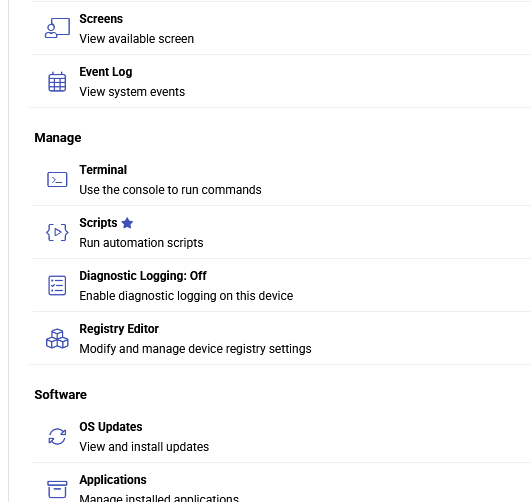
I have a new endpoint that shows online but when I go to the web console for it, the Remote Control options is completely missing. Not grayed out, it's just gone. We ran Windows Updates, rebooted, I made sure the reg key "HKLM:\SOFTWARE\MMSOFT Design\PC Monitor\RemoteDesktopEnabled" is set to 1. I disabled the firewall. Other endpoints in the same Agent Group have Remote Control so I know it's not a policy issue either. It's on version 9.26 the latest, just like other endpoints. How could I best troubleshoot and/or resolve this?
-
It is best to change accounts using an In-Private window or a different browser/different computer to access the Pulseway side, then you can change the account if you used your own admin account. The Pulseway side had issues with not wanting to accept our High Volume Email account and weirdly Pulseway blocks M365 in SMTP settings. I don't want to create a separate licensed M365 account just for Pulseway emails. We went with our SMTP2Go account instead.
-
-
@RPL - Hey! Thanks for reaching out. I just raised a ticket to our support team on your behalf and they'll reach out shortly😊
-
-
 Mariale_Pulseway reacted to a post in a topic:
Need some guidance as in what category should I participate into?
Mariale_Pulseway reacted to a post in a topic:
Need some guidance as in what category should I participate into?
-
-
yes 100% service is very important. Linux service monitoring can be a little more involved than Windows, especially when configuring custom services like Freeswitch. Double-check that the service name in your config.xml exactly matches the system service name (systemctl status freeswitch can help verify it). If you're still not receiving alerts, sharing your current configuration may help identify any syntax or configuration issues. Proper monitoring is just like Free pest inspection in clarksville—early alerts let you fix problems before they become much bigger.
-
-
-
Wow, great insight on Windows 10 seems like you have deep knowledge of this update. The way I have over nulls brawl güncelleme, its latest update is totally life-changing with new brawlers and skins for free.
-
Sure, I get that. I was simply testing via my account, with the assumption that it could be changed later. Unfortunately, there seems to be no way to change the outbound email address once you've authenticated for the first time. Fortunately, I was able to restore the original App Registration and re-connect it to my personal account. I suppose I'll try generating a new Client Secret to see if it will let me authenticate via our dedicated SMTP Account.
-
Both my employer and one of our clients are experiencing this issue. I've written up a full report of the issue, in the following post. https://forum.pulseway.com/topic/5486-oauth-in-m365-change-the-fromreply-to-address/#comment-18207 Any assistance you can provide will be greatly appreciated. Thank you in advance.