
_a9c1b4.png)
_49ee3f.png)
All Activity
- Past hour
-
 Ralph joined the community
 - Today
-

-
-
- Last week
-
 ayman209 joined the community
 -

-
 Leguerra03 joined the community
 -
 Regarding the notification "Minimum system requirements for Pulseway agents". Does Pulseway require the .Net framework? Or, if we have .Net core (aka 5.0+ installed) will that work? Many of our servers might have an older version of the framework installed, but they also have a newer version of .Net core installed. We're trying to comply by the 26 January 2026 date. Thanks.
 -
 I love the (Remote Control on Demand) RCoD feature. But it fails in one vital (for me!) area. When connecting to customer's PCs I often need to enter admin credentials to perform some administrative operation - or install software. I've been told the screen goes blank "By Design", but it totally prevents me from performing this operation. As soon as the admin dialog box presents on the user's PC my screen goes black. End users are not allowed to have Admin Privs - and I can't type the password in because my screen & input is blocked. Consequently I'm not ALLOWED to do the exact thing the user contacted me for. Need some options here
 -
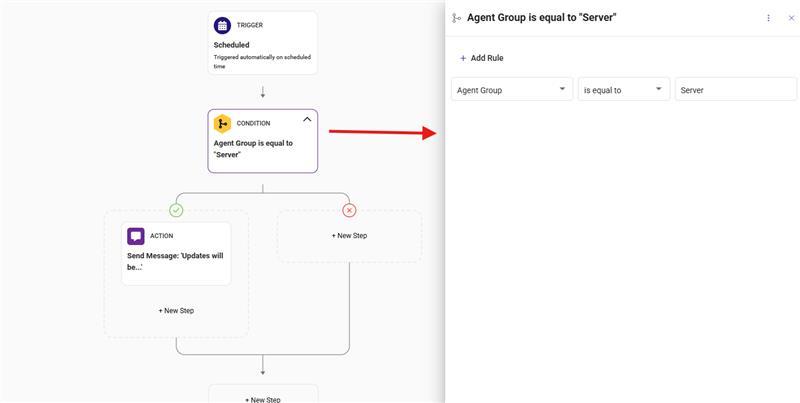
Hey @Daan - Thanks for reaching out! By default, Microsoft has set certain Microsoft Office apps to automatically close and re-open during update for a successful update. This is Microsoft's policy and we cannot change this. There are few other applications that follow this update policy. In this situation, you can have the PATCH set for a different time for patching where the users dont use the most of their Office applications/system. Or you can also setup many workflows for different ORGS/SITE/GROUPS so that, it sends a pop-up message at the start time of patching depending on the patch policy timing you have set. Refer to the images of the workflow. You can further customize the message.
.thumb.png.9506263c937a513d35254e9e7c6ff829.png)
-
 ekolabs joined the community
 -
 Hi all, We have been dealing with the following issue for quite some time. Our clients receive Microsoft 365 Business updates via RMM, pushed through Patch Management → Policies → 3rd Party Software Rules. The problem, however, is that applications are closed unexpectedly without any prior notice. As a result, users are caught off guard when applications like Excel or Outlook suddenly close. We have already worked with Pulseway support and created a maintenance window with a workflow that announces the maintenance window. However, our users are still complaining. I was wondering how you handle these updates and whether there is a better, more user-friendly workaround. Thanks in advance.
 - Earlier
-
 ouvell joined the community
 -
 baba yaga joined the community
 -
 CTA joined the community
 -
-
 deslotenmaker joined the community
 -
 Matt Levine joined the community
 -
 Fixed for me in "Pulseway Remote Control.app" version 9.23.
 -
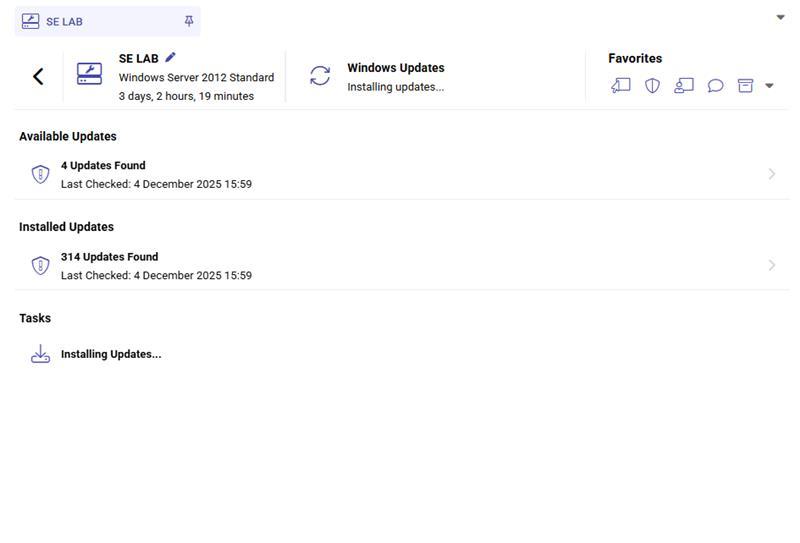
Hey @Donald Jackson - Thanks for reaching out. There is no direct way to look at when it was run, but if you have diagnostic logging enabled (Configuration -> Settings -> Enable diagnostic agent logging) and also on this system after the previous. Then, whenever the group command is sent, you can pull up the diagnostic logging and then see when it was sent and if it worked or not. You can also check that specific system's Windows updates section, which reflects when the update was last checked. Refer to the image.
-
Is there a way to tell if or when [Date\Time] the command to patch servers in a Group was sent? I need to check if the command was sent\received because this group did not patch.
-
-
 Hey @Daniel Högen , Thanks for letting us know. We're due to release a hotfix later today to resolve that issue. We apologize for the inconvenience this has caused. -Paul
 -
 Hey! We're also experiencing the same issue since November 27th across multiple infrastructures, almost daily. Systems go offline and reconnect about a minute later. This does not seem to be a connection issue (at least server -> internet), because our gateways remain online during the times of these notifications. There are three affected hosts, running Windows Server 2019 and Windows Server 2012 R2. Is there anything else I can share with you?
 -
Hey @Labsy - Sorry to listen this has been happening. I just raised a ticket for you and they'll reach out shortly😊
-
Integrations refined. Automation streamlined. Visibility upgraded. Here’s the quick rundown: Improved ConnectWise integration — guided setup, smarter device matching, clearer org mapping, and expanded field syncing. Distribution Window — spread script/workflow execution over 1–12 hours to avoid bandwidth spikes. Linux OS patching from the Device Card — scan, review, and install updates without touching SSH iOS Remote View — real-time troubleshooting for enrolled iPhones/iPads If you're aiming for smoother workflows and better visibility, this release is absolutely worth a look. 📄 Read the full release notes here.
-
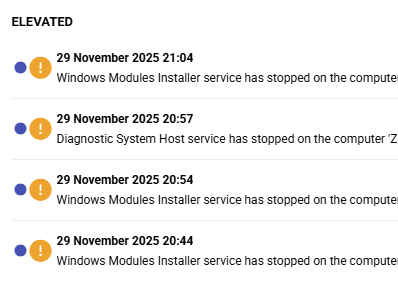
 Hi, My saga with Pulseway app continues. In past months for unknown reason Pulseway begun dropping me thousands of notifications, making all around me nervous as alert sound is played every few minutes. Not only critical, but normal notifications are popping up like crazy. First off, this was NOT happening in past years. I dunno, maybe Windows systems changed, maybe they are stopping and starting services more frequently, but all went crazy in past months. I went to some of systems which generate large volume of notifications, for example some of most frequent: Windows modules Installer service Diagnostic System Host service Secondary logon service I DISABLED whole notifications section on ALL of servers, but days and weeks later notifications just keep coming and coming. What am I missing?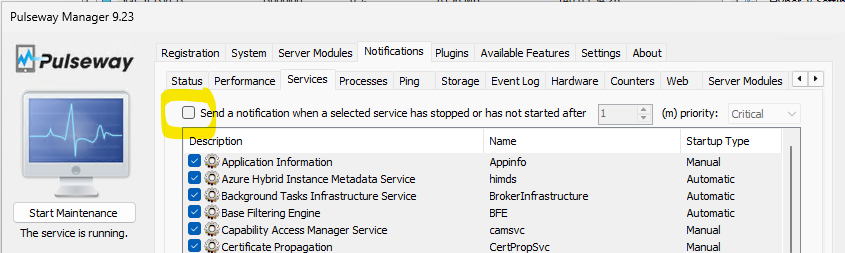
-
Hey @Nicholas I - Just raised a ticket on your behalf and someone from our team will reach out shortly😊
-
 I am also having this issue on my Macbook pro M2 running Pulseway version 9.21
 -
-
-
Hey @Fokke Stoker @steveburke - Thanks for reaching out. We had some service disruption over the weekend that may have affected you, but it should be back to normal now. However, if the issue still persists let me know and I'll raise a ticket on your behalf😊
-
Hey @Alan @chriscarpenter - Thanks for reaching out. Just raised a ticket for you as well and someone from our team will be able to assist you😊
-
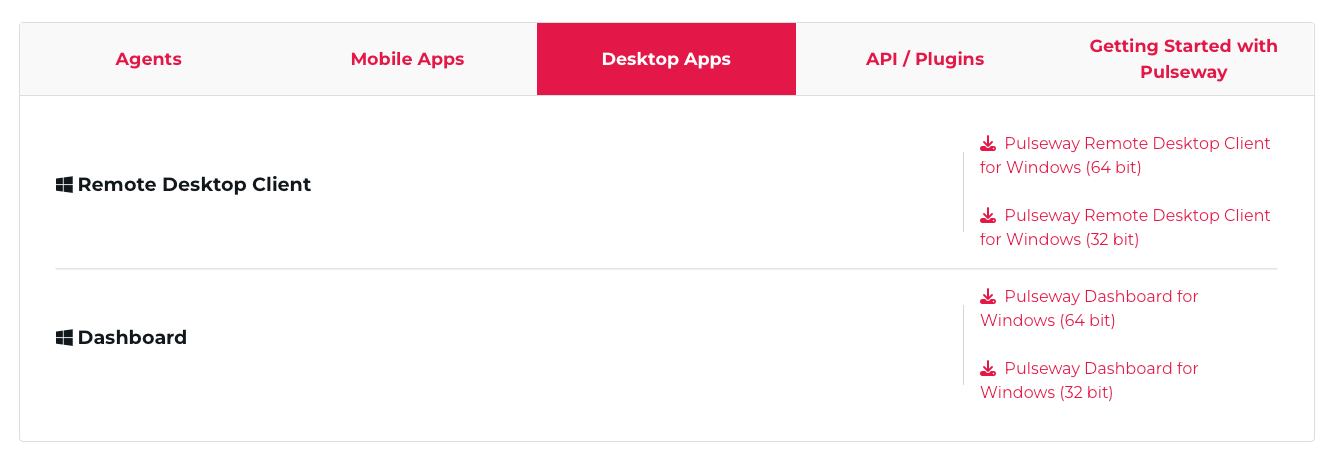
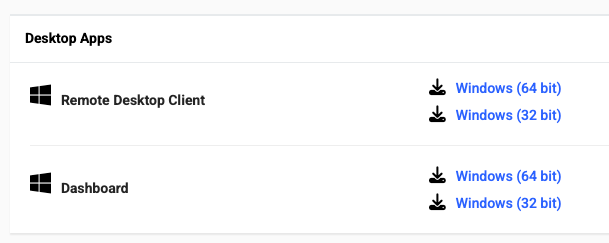
 Can confirm that I can connect with the version provided "Version: 9.23 (build 2025111101)", but was the remote client removed from the site? https://www.pulseway.com/downloads Same in the client download area. There's no Mac remote clients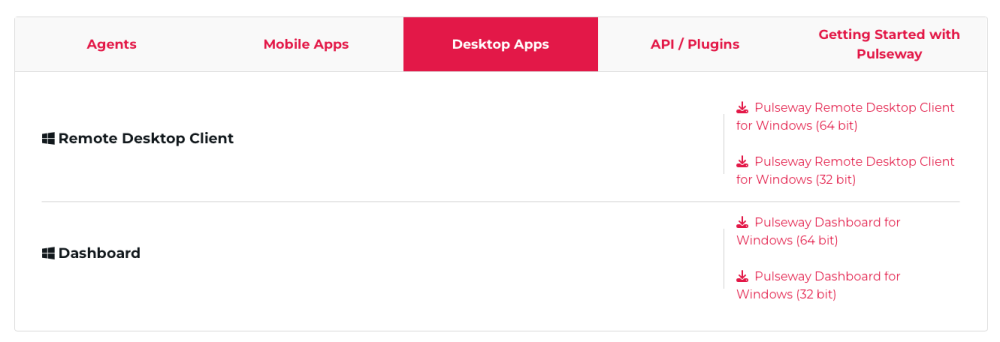
-

-
 Same here since about 22:00 UTC on Friday. Anything pre Server 2016 are showing offline when they're not.
 -
 Hi, I have the same problem since Saturday, any news on this?
 -
Hey @Morten Olin - Thanks for reaching out. I just raised a ticket on your behalf and someone from our team will reach out shortly😊
.png.51bcc53eb3d68559f2254f4c1be3f0a9.png)