_a9c1b4.png)
_49ee3f.png)

BobBrown
Members
-
Joined
-
Last visited
Everything posted by BobBrown
-
Issue is "dubbed" a bug with no ETA of a fix. Next Pusleway Agent will have the same bug most likely. (they are not motivated to fix it) Anyone that didn't notice it... if you had agents updated, you most likely have this bug. (Fresh 9.24 Agent installs should be ok.) >> I am fixing the agents on my own... just running the 9.24 msi over the top of what exists and then removing duplicates as they occur.) >> If you get an .msi error when trying to uninstall or update.. just reference the old "corrupt" agent msi prior and then re-run the latest msi after. (should fix it) There is no scrip that will do this... you need to be logged into the desktop as a user with Administrator rights. (built in Administrator is best)
- 5 replies
-
- bug report
- fail
- installation
- upgrade
-
Tagged with:
-
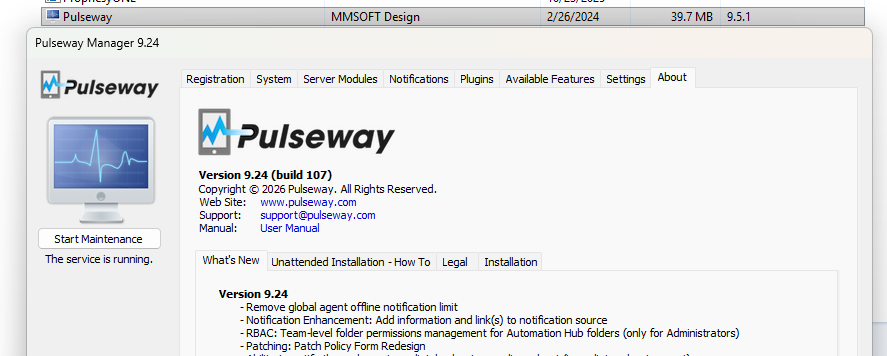
Just got of a call with Support and we figured out what happened. Answer: Blotched agent upgrade for our instance. They deployed the 9.24 version a few weeks back and we got the corrupt 1/2 updated hybrid 9.5.1.9.24 version. In reality the GUI said 9.24 and the dll's/program Files were 9.5.1 (post above) >> I am assuming this is a "one off"... but if anyone else has this issue... check the versions of the GUI vs Installed Programs.
- 5 replies
-
- bug report
- fail
- installation
- upgrade
-
Tagged with:
-
I think I figured it out. The download that Pulseway provides us is corrupt? Verison mismatch. Installs as 9.5.1 and then shortly after downgrades the GUI to 9.24 OOOPS. They have no idea how much time this has cost me... HOURS of BS. Not happy Pulseway!
- 5 replies
-
- bug report
- fail
- installation
- upgrade
-
Tagged with:
-
Just tested using Windows 10 and have the same issue. No Remote Control and will not update using the agent. (sad) Next I am trying a Windows 11 Stand Alone... off the domain to make 100% sure this is not GPO driven issues. This is really starting to look like a Pulseway issue... they must change things on the back end that effects the agents. (assumption) Only thing that has changed here is a few non relative Windows updates last weekend to the servers. The fact that it is not affecting already installed agents is a clue...
- 5 replies
-
-

- 1
-
-
- bug report
- fail
- installation
- upgrade
-
Tagged with:
-
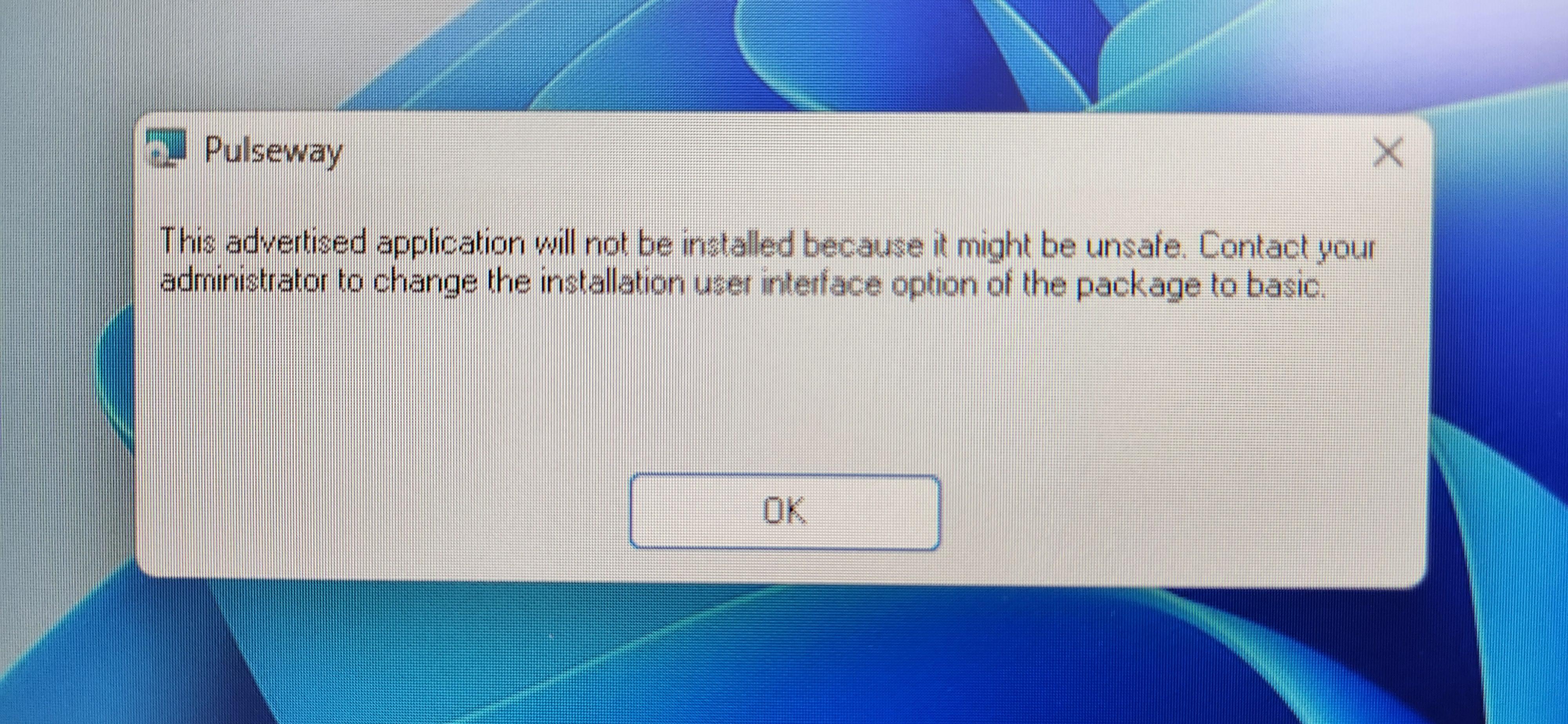
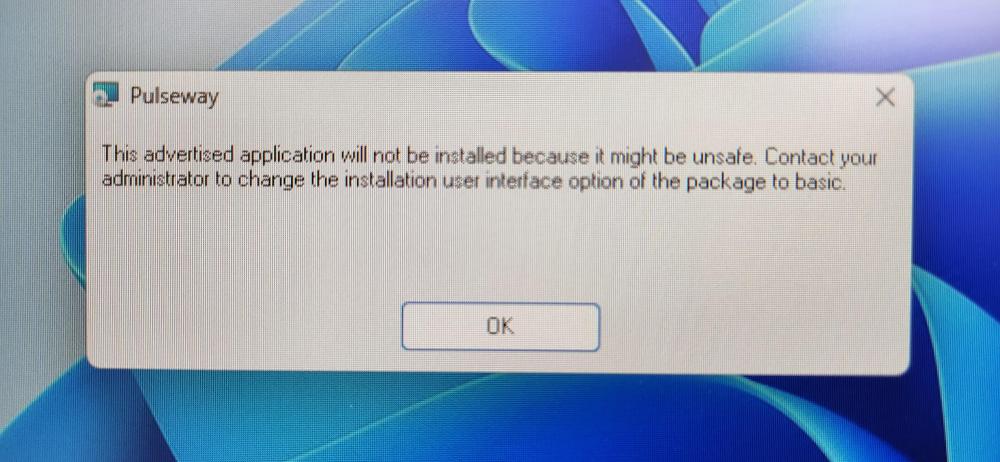
I have already reported this to Pulseway Support and am meeting with them ovcer Zoom today to try and resolve. I am trying to gain more information and see if the community is also having issues. We have been deploying the Pulseway windows_agent_x64.msi over GPO as I image them and move them to an OU "Open and Ready" designated for deployment of the application. In late October we imaged and deployed many Windows 11 laptops without issues. None of those deployed laptops seem to having this issue... working great. This month I have swapped out some older Windows 11 laptops and reimaged them, and installed the Pulseway agent over GPO as usual... Install goes fine but then the agent wont update and Remote Control is missing... the Update log does not get updated and the machine enver receives updates... it's broken. Very Broken. I have tried other methods and get an error: Pulseway: "This advertised application will not be installed because it might be unsafe. Contact your administrator to change the installation interface option of the package to basic." I have tried: Recreating the GPO Policy. Updated Software Restirctions Policy to include the msi path. Updated the Trusted Root Certificates. (roots.sst) Manually installed from local drive Disabled UAC on the Laptop (for testing) Tried repair installation after install Removed the latest Windows 11 Updates (The ones I can remove) NO Antivirus installed / Firewall disabled (for testing) Verified the .msi cert is valid... SignerCertificate Status Path ----------------- ------ ---- C32461866177F1AA99D7592E269EBDDC083AA0FD Valid windows_agent_x64.msi >>> NONE of this fixes it. This has been working flawlessly for over a year... Not sure what broke it. No Major changes here... Network has been flawless... Windows 11 amazing. This a Pulseway problem? I don't like the blame games... I am about function and working to fix / progress. I see another posts with .Net issues and Agent failure and wonder if this is related. Any help or Suggestions are Appreciated!! Crazy! > I may install Windows 10 on a system and see if the PW Agent is still broken or if I can getr more infomration. (Windows 10 no longer supported of coarse)
- 5 replies
-
- bug report
- fail
- installation
- upgrade
-
Tagged with:
-
Please add a way to manually run a speedtest on a remote computer. I see requests all over the place but nothing added.. been over 5 years guys. Not a regualr interval, but maybe just as script to check that DSL connection to see if it is having an issue.... MTR would be a nice add as well. I have tried: $a=Get-Date; $web = New-Object Net.WebClient; $web.DownloadString("http://client.akamai.com/install/test-objects/10MB.bin") | out-null; $t = "$((10/((Get-Date)-$a).TotalSeconds)*8) Mbps"; $t and $a=Get-Date; Invoke-WebRequest http://client.akamai.com/install/test-objects/10MB.bin|Out-Null; "$((10/((Get-Date)-$a).TotalSeconds)*8) Mbps" >>> neither have any output/results in mobile or PC.
-
This appears super old... over 5 years and still no functional way to run a speedtest in Pulseway? The script above simply have no output on phone or mobile. Not sure how it works but would be nice to have this feature to test a remote user's connection occasionaly/manually. Should I start a new request to have this added?
-
I have a notice from Friday that the issue has been identified and they are working on it. =================================================== Shawn Miller (Pulseway Support) Mar 31, 2023, 18:43 GMT+1 Hi Bob, Our developers have identified this issue and are working on the highest priority. We will let you know once the fix is going to release. Kind regards, Shawn Miller Pulseway - Making IT Heroes The world's most portable IT management platform
-
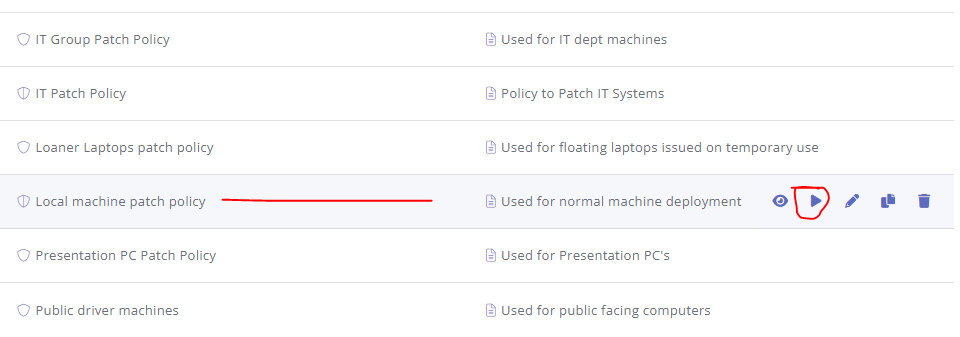
I have an issue logged with Pulseway support and we worked on it for about an hour or so with no resolve. Basically you run the Policy and Patch folder is not created... nor do any applications install or update, as well as Windows Updates. Anyone else having this issue? As a work around to re-install a corrupt application or new, I used the mobile app, %computername%, patch management and then click Install Applications. Not the best of solutions but for now a work around if you are having issues also.