


Jump to content
View in the app

A better way to browse. Learn more.

Pulseway

A full-screen app on your home screen with push notifications, badges and more.

To install this app on iOS and iPadOS
  1. Tap the Share icon in Safari
  2. Scroll the menu and tap Add to Home Screen.
  3. Tap Add in the top-right corner.
To install this app on Android
  1. Tap the 3-dot menu (⋮) in the top-right corner of the browser.
  2. Tap Add to Home screen or Install app.
  3. Confirm by tapping Install.

MacLartySDOR

Members
  • Joined

  • Last visited

Everything posted by MacLartySDOR

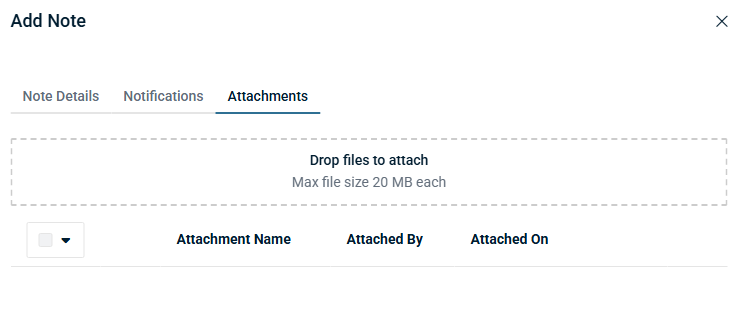
  1. The current limit when adding attachments to tickets, including via the note field is 20MB. I'm suggesting that we add in a feature to allow increasing the attachment size if a company would like to do so. My multifunction printer allows that. I don't see why the ticketing system couldn't. It actually sometimes causes issues with things scan to emailed into tickets.
Configure browser push notifications

Chrome (Android)
  1. Tap the lock icon next to the address bar.
  2. Tap Permissions → Notifications.
  3. Adjust your preference.
Chrome (Desktop)
  1. Click the padlock icon in the address bar.
  2. Select Site settings.
  3. Find Notifications and adjust your preference.