


_a9c1b4.png)
_49ee3f.png)

Mike Shevenell
Members
-
Joined
-
Last visited
Everything posted by Mike Shevenell
-
I'm looking for the same thing. Multi-monitor support in screenview.
-
Well, since my post I was told that there is a secret registry key to bring it back - albeit temporarily. For those who are interested. it is: \HKEY_LOCAL_MACHINE\SOFTWARE\MMSOFT Design\PC Monitor\AgentLegacyMode = 1 But this leads me to a question about your response. Are you saying Pulseway Manager Plugin tab or Plugins altogether are Legacy. Is what I'm attempting a waste of time.
-
Long after the last reply... I just tried this but this does not work on Pulseway 9.24. This is a new project and its only version I've tried on. The behavior is the same as the OP describes. Once you attempt to stop the Pulseway Service from an automation script you are Hung. it never returns. I tried using what I believe was an "atomic operation" like PowerShell Restart-Service. But no that hung forever. The only way is to have alternate access to the PC (physical Access or another RDP program). Device will show offline forever. I do not see that the agent ever comes back after one minute or 5 or 10...
-
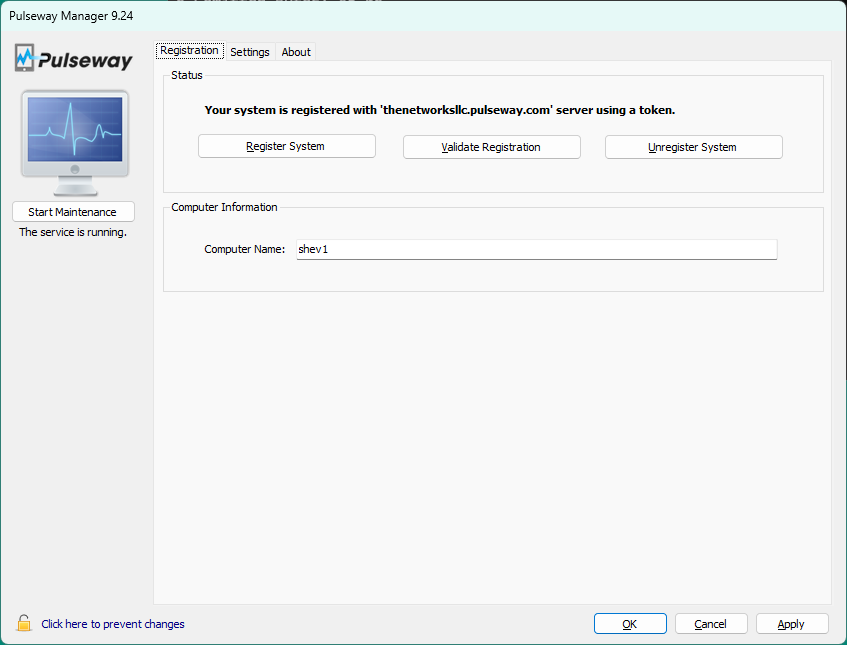
Can I ask how you were able to get the plugin installed? The plugin tab referenced in the tutorials has been missing from Pulseway Manager for a couple years on all my agents. How did you do it ?
-
+1 I find myself needing this frequently. I thought about building with the API - but that was a chunk of work I shouldn't have to do. I come from using Admin Arsenal PDQ Deploy and retry feature has been a basic feature there for more than 10 years.
-
I'm using the API v3 to start a predefined task on one system. The correct task does indeed start on the correct system and produce the correct results (writes to a file). But Pulseway never detects that the task has actually completed. Neither the API nor web app ever detects that this task is completed - but it really has! Since webhooks are optional for the "Run Task" endpoint, I'm not using them. Interesting thing is when this task is run manually through the Web App it complete fine in 2 seconds. Has anyone else used this successfully? I'm thinking something is broken. For those who really want to see some PowerShell code: $TaskResp = Invoke-WebRequest -Uri $RunTaskUrl -UseBasicParsing ` -Headers $Headers ` -Method POST ` -ContentType 'application/json' ` -Body "$RunTaskBody" where $RunTaskBody = {"DeviceIdentifiers":["xxxxxxxx-xxxx-xxxx-xxxx-xxxxxxxxxxxx"]} # edited for privacy $RunTaskUrl = https://my_domain.pulseway.com/api/v3/automation/tasks/148/run # editied for privacy
-
I love the (Remote Control on Demand) RCoD feature. But it fails in one vital (for me!) area. When connecting to customer's PCs I often need to enter admin credentials to perform some administrative operation - or install software. I've been told the screen goes blank "By Design", but it totally prevents me from performing this operation. As soon as the admin dialog box presents on the user's PC my screen goes black. End users are not allowed to have Admin Privs - and I can't type the password in because my screen & input is blocked. Consequently I'm not ALLOWED to do the exact thing the user contacted me for. Need some options here
-
Related to this, I'd like to create a troubleshooter which allows the user the see the results of a script / task. Right now all output from the script seems to be lost or inaccessible
-
Seemed pretty simple to set this up in the Pulseway Manager (9.2) Application on Windows (target PC). Sending the test eMail worked perfectly. I then tried sending a file from the web application (running on a different windows machine) - email pick don't even show up. Only Delete & Cancel are shown. Restarted Pulseway service on target machine - email pick not shown Complete reboot of target machine - email pick not shown Next tried the mobile client on Android (version 12) - email pick not shown So does this feature really work? I have no problem sending / receiving the test email but no chance to even try sending files.