
_a9c1b4.png)
_49ee3f.png)
All Activity
- Past hour
-
- Today
-
 Hey @Daniel Högen , Thanks for letting us know. We're due to release a hotfix later today to resolve that issue. We apologize for the inconvenience this has caused. -Paul
 -
 Hey! We're also experiencing the same issue since November 27th across multiple infrastructures, almost daily. Systems go offline and reconnect about a minute later. This does not seem to be a connection issue (at least server -> internet), because our gateways remain online during the times of these notifications. There are three affected hosts, running Windows Server 2019 and Windows Server 2012 R2. Is there anything else I can share with you?
 -
Daniel Högen joined the community
-
 odams joined the community
 - Yesterday
-
 Hey @Labsy - Sorry to listen this has been happening. I just raised a ticket for you and they'll reach out shortly😊
 -
Integrations refined. Automation streamlined. Visibility upgraded. Here’s the quick rundown: Improved ConnectWise integration — guided setup, smarter device matching, clearer org mapping, and expanded field syncing. Distribution Window — spread script/workflow execution over 1–12 hours to avoid bandwidth spikes. Linux OS patching from the Device Card — scan, review, and install updates without touching SSH iOS Remote View — real-time troubleshooting for enrolled iPhones/iPads If you're aiming for smoother workflows and better visibility, this release is absolutely worth a look. 📄 Read the full release notes here.
-
 Jaco joined the community
 - Last week
-
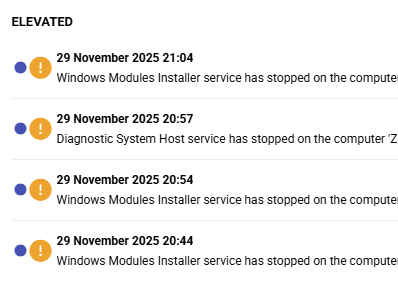
 Hi, My saga with Pulseway app continues. In past months for unknown reason Pulseway begun dropping me thousands of notifications, making all around me nervous as alert sound is played every few minutes. Not only critical, but normal notifications are popping up like crazy. First off, this was NOT happening in past years. I dunno, maybe Windows systems changed, maybe they are stopping and starting services more frequently, but all went crazy in past months. I went to some of systems which generate large volume of notifications, for example some of most frequent: Windows modules Installer service Diagnostic System Host service Secondary logon service I DISABLED whole notifications section on ALL of servers, but days and weeks later notifications just keep coming and coming. What am I missing?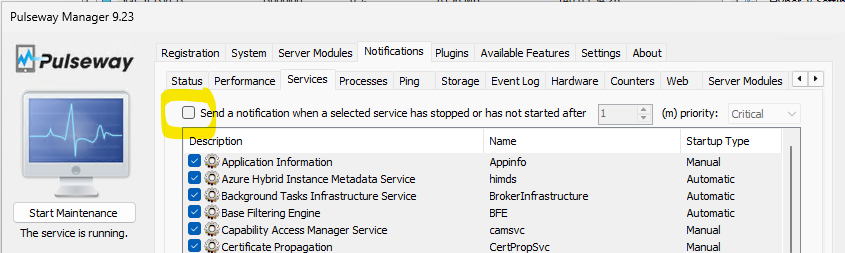
-
 Sorayut_server joined the community
 -
 robkarp1 joined the community
 -
 Chris_J joined the community
 -
 jonsnow joined the community
 -
Hey @Nicholas I - Just raised a ticket on your behalf and someone from our team will reach out shortly😊
- Earlier
-
 I am also having this issue on my Macbook pro M2 running Pulseway version 9.21
 -
Nicholas I joined the community
-
-
-
Hey @Fokke Stoker @steveburke - Thanks for reaching out. We had some service disruption over the weekend that may have affected you, but it should be back to normal now. However, if the issue still persists let me know and I'll raise a ticket on your behalf😊
-
Hey @Alan @chriscarpenter - Thanks for reaching out. Just raised a ticket for you as well and someone from our team will be able to assist you😊
-
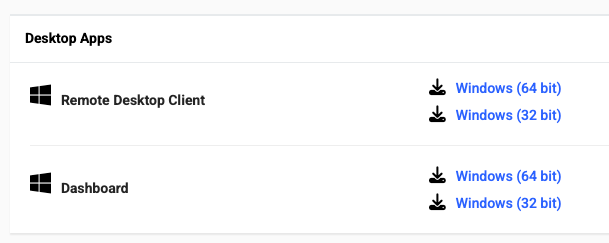
 Can confirm that I can connect with the version provided "Version: 9.23 (build 2025111101)", but was the remote client removed from the site? https://www.pulseway.com/downloads Same in the client download area. There's no Mac remote clients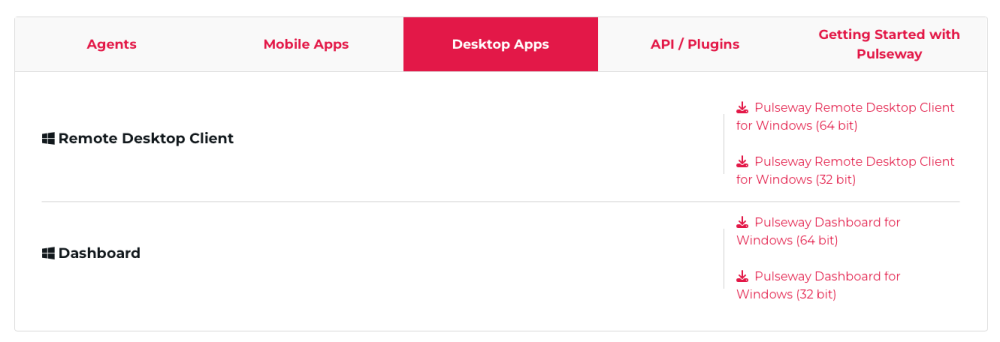
-

-
 Same here since about 22:00 UTC on Friday. Anything pre Server 2016 are showing offline when they're not.
 -
 Hi, I have the same problem since Saturday, any news on this?
 -
Fokke Stoker joined the community
-
Hey @Morten Olin - Thanks for reaching out. I just raised a ticket on your behalf and someone from our team will reach out shortly😊
-
Hey @chriscarpenter @AMJ Systems - I just raised a ticket on your behalf and someone from our team will reach out shortly😊
-
 Ovidiu joined the community
 -
 Same here - This is occurring on both macOS and the iOS app when connected to WiFi networks with standard home equipment with no recent settings, updates or equipment changes. If I turn off WiFi and use 5G, the iOS app connects with the remote control. If I connect my Mac to the 5G hotspot, it connects without an issue. This issue appears to have started within the last week.
 -
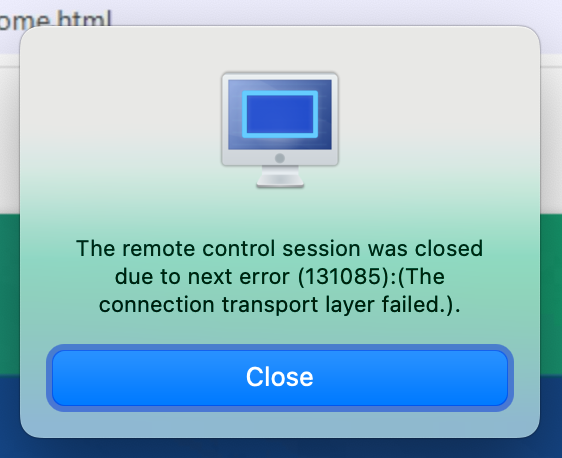
Same client version on Mac and same error. Can't connect to anything so far that I've tried.
-
 Hi all! Do you know, if support for Microsoft server 2012R2 has ended? Since yesterday evening, all of our 2012 servers are offline. I can't seem to find a link for direct access support, so I hope, you guys can help me Regards, Morten
 -
 Same here ... last Tuesday everything still worked fine for me (Macbook Pro M2, Tahoe 26.1). Today me (and my colleague) constantly get the same error as above. What I notice is that my local "Pulseway Remote Control" app is currently at version 9.21 while the target device reports having agent version 9.22. Maybe the version mismatch is the root cause?
 -
-
-
-
Hi Mariale, issue is getting worse. I guess my phone is not trusted from time to time, because PW relies on MAC....which is changing, different on WiFi than on cellular network. I simply cannot login anymore, just looping login --> confirm on mobile app (I cannot, as I cannot login) --> use MFA --> back to login Can you open a ticket for me, please?
-
-
 I just started using Pulseway and I am using the Pulseway Remote Control application on my Mac to connect to Windows server. I am seeing a lot of "the remote control session was closed" errors from the client. Oddly this only seems to happen with certain servers. I am running version 9.21 (build 2025093001) on Sonoma 14.6.1. Is this a known issue with the Mac client? My colleagues on Windows clients are not reporting any issues. My network is stable and no other applications are having any issues.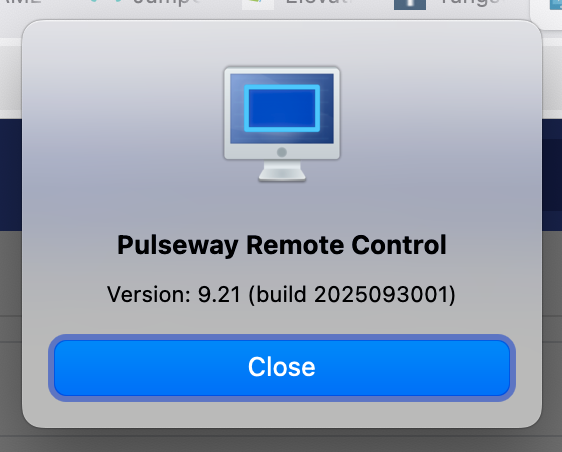
-
-
 tefaaa15555255 changed their profile photo
 -
-
-
-

-